



Sign Up Bonus Addon
Want more high quality affiliates to join your affiliate program? The AffiliatePress Signup Bonus Addon allows you to give every new affiliate one time bonus automatically after their affiliate registration application is approved.
In this guide, we’ll show you how to install, configure, and manage the Signup Bonus Addon.

Install and Activate the Signup Bonus Addon
Before using the Signup Bonus Addon, make sure AffiliatePress is installed and your license is activated.
Next, you must install and activate the Signup Bonus Addon for AffiliatePress to automatically award affiliates with configured signup bonus payout when their affiliate application is approved.
Configure the Signup Bonus
After activating the Signup Bonus Addon, click Configure. Or else, you can manually go the settings from:
- AffiliatePress → Settings → Commissions.
- Scroll down till you find the Affiliate Sign Up Bonus settings under the Commissions Settings.
To set the sign-up bonus, enter the bonus amount you want to award newly approved affiliates.
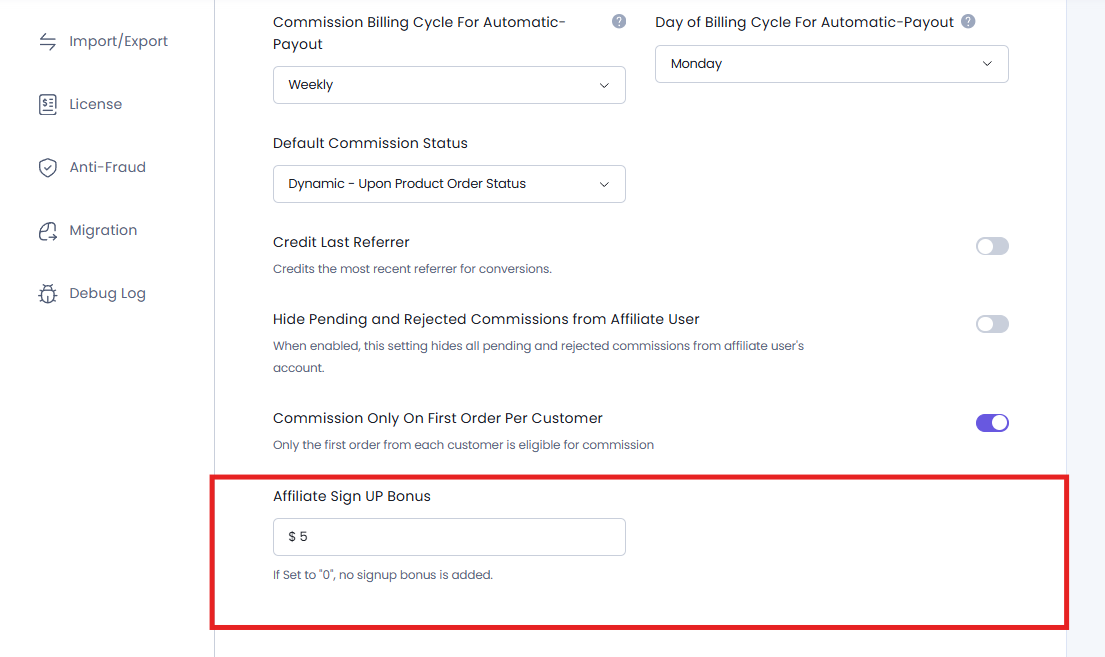
Note: Enter 0 if you don’t want to award a signup bonus.
After entering the bonus amount, simply Save to apply your settings.
From this point onwards, AffiliatePress will automatically award the signup bonus amount you’ve set whenever an affiliate application gets approved.
How Signup Bonuses Are Awarded
After you’ve configured the signup bonus, AffiliatePress automatically awards it based on how an affiliate is registered and approved.
The signup bonus is always awarded only after an affiliate status is approved. Thus whether the bonus is awarded immediately or later depends on your affiliate approval workflow.
Automatic Affiliate Approval
If your affiliate registration process is set to Automatically Approve, AffiliatePress awards the configured signup bonus immediately after the affiliate successfully registers.
You can easily set it from AffiliatePress → Settings → General by enabling Auto Approve & Activate New User Registration option.
For example if the signup bonus is set to $25, every newly registered affiliate automatically receives a $25 signup bonus as soon as their registration is auto-approved.
Pending Affiliate Approval
If new affiliate registrations need manual approval, AffiliatePress does not award the signup bonus when the registration form is submitted.
Instead, the signup bonus is awarded only after you change the affiliate’s status from Pending to Approved, from the Affiliates page inside the AffiliatePress system.
For instance, an affiliate registers when the signup bonus amount is $25. Since you’ve not enabled Auto Approve & Activate New User Registration setting, the affiliate’s status will be pending. So even if you approve that affiliate’s status after 3 days/weeks, the awarded signup bonus will be the same.
Because AffiliatePress awards the bonus amount that was configured when the affiliate originally registered, it doesn’t matter even if you change the signup bonus amount before approving the affiliate.
Important: The signup bonus amount is locked at the time of registration. Changing the signup bonus later does not affect affiliates who have already registered and are waiting for approval.
Frontend Registration
When an affiliate registers using your AffiliatePress signup form, AffiliatePress automatically checks your affiliate approval settings.
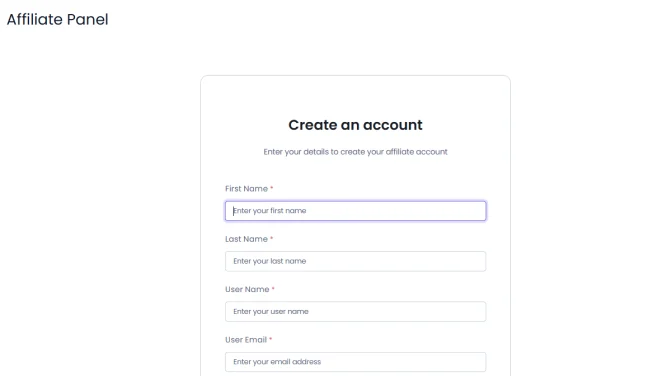
If automatic approval is enabled, the signup bonus is awarded immediately. And if disabled, the signup bonus is awarded only after the affiliate is approved by an administrator.
Admin Registration
AffiliatePress also supports manually creating affiliates from the WordPress admin dashboard.
To manually add an affiliate, simply go to AffiliatePress → Affiliates. From here, click on Add New Affiliate, fill in the affiliate details, and toggle on the Affiliate Signup Bonus option.
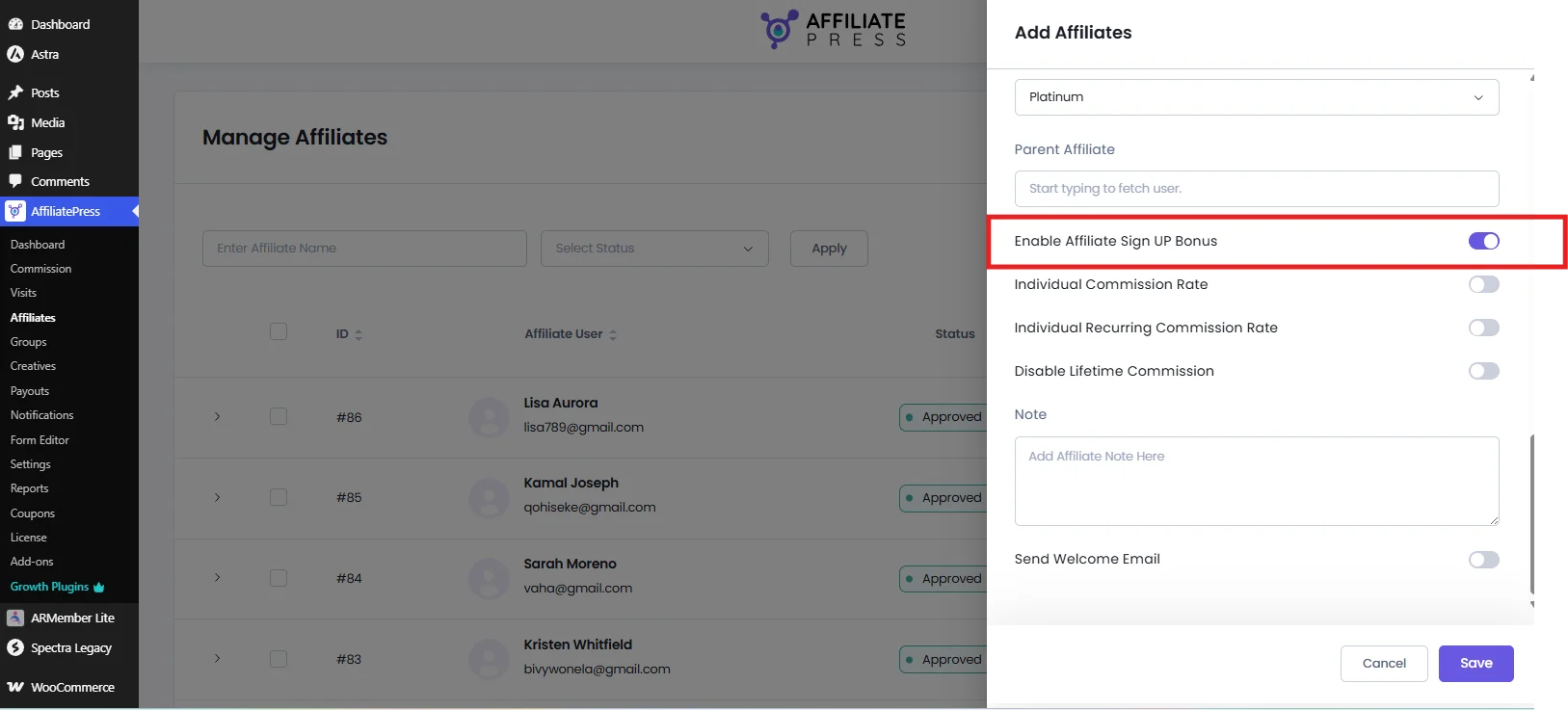
Lastly, save the affiliate.
Once the affiliate is approved, AffiliatePress automatically awards the configured signup bonus.
Where to View the Signup Bonus
After the signup bonus is awarded, both affiliates and administrators can view the bonus from their own dashboards.
View the Signup Bonus as an Affiliate
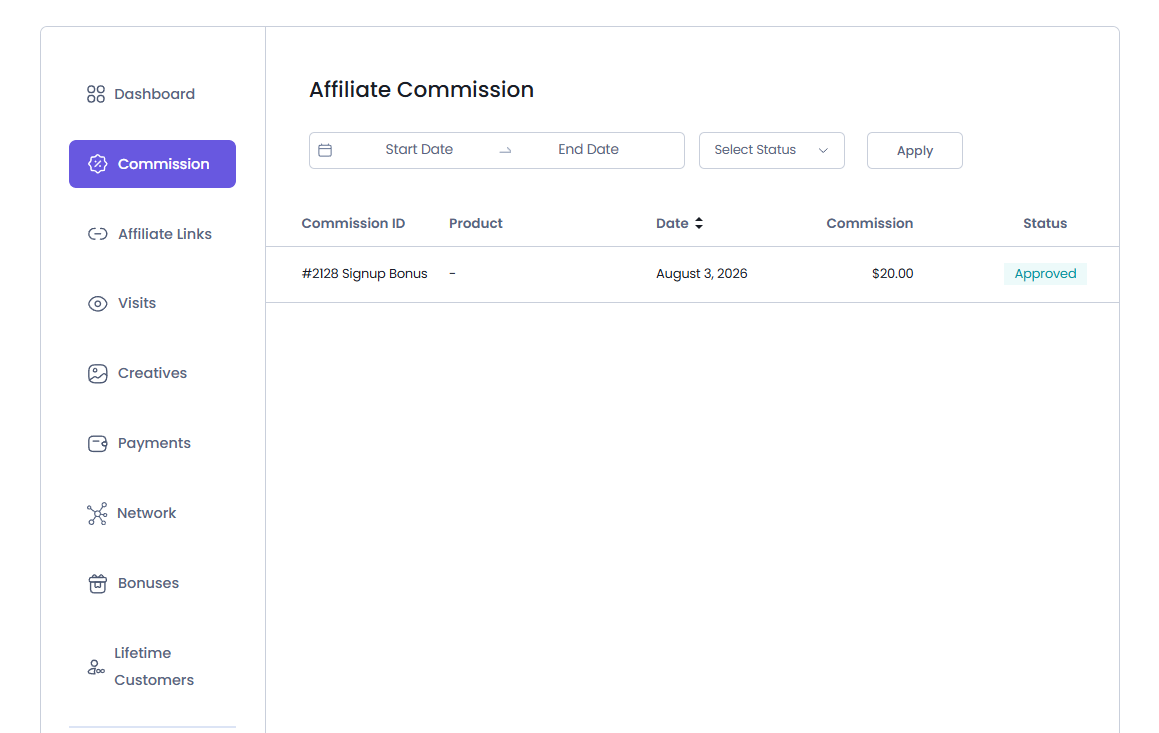
Affiliates can view their signup bonus by logging into their Affiliate Panel. Just as they log in, they see their Affiliate Dashboard where the signup bonus amount is already added in their total earnings.
For more details, they can go to the Commissions tab.
The signup bonus appears alongside the affiliate’s other commission records which makes it easy to track all earned commissions from a single location.
From here, affiliates can view:
- Commission ID
- Date the bonus was credited
- The bonus amount awarded
- Status of signup bonus commission
The status of the signup bonus is by default Approved, unless the admin decides to change it.
View the Signup Bonus in WordPress Admin
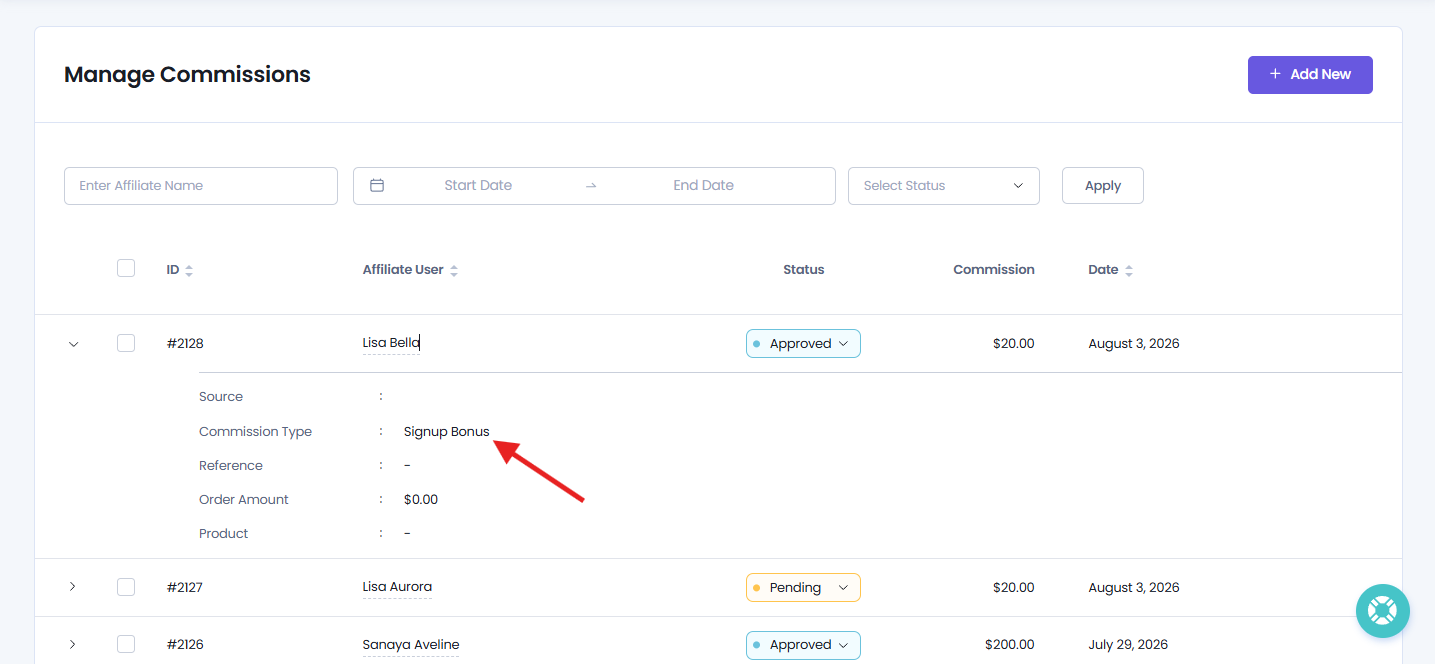
You can track all awarded signup bonuses by going to AffiliatePress → Commissions.
Although it is a signup bonus, AffiliatePress records it as a commission so it can be viewed and managed alongside other affiliate commissions. The Commission Type is set to “Signup Bonus“. From here, you can..
- View all signup bonus commissions.
- See which affiliates have received a signup bonus.
- Check the awarded bonus amount.
- Change Signup bonus commission status from Approved to Reject or Pending.
By default, the status will be Approved for any signup bonus. This makes it so much easy to track and manage signup bonuses right from the AffiliatePress Commission dashboard.