



AffiliatePress Dashboard Overview
The Dashboard is the central reporting hub of AffiliatePress. It brings together your affiliate program’s key metrics, performance charts, top performing affiliates, recent registrations and latest commissions, so you can monitor performance, recognize trends and make data-driven decisions.
Simply go to your WordPress Dashboard and click on the AffiliatePress → Dashboard. Even if you click on the AffiliatePress icon, Dashboard is the first page that appears.
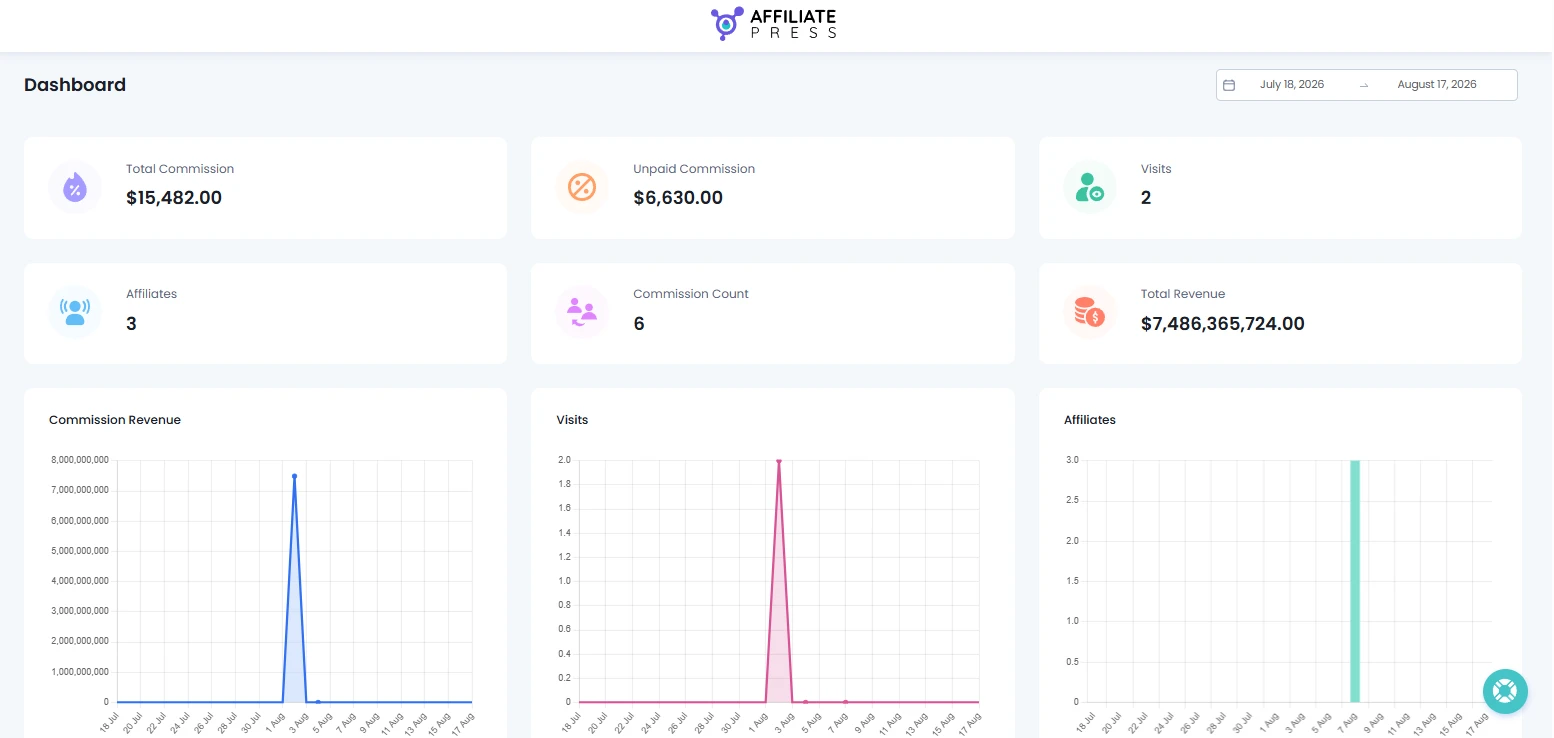
Please Note: If you’ve just installed AffiliatePress, it’s normal for some dashboard cards to show zero values until your first affiliates and referrals are created.
Follow this guide to understand every dashboard section.
Filter Dashboard Data
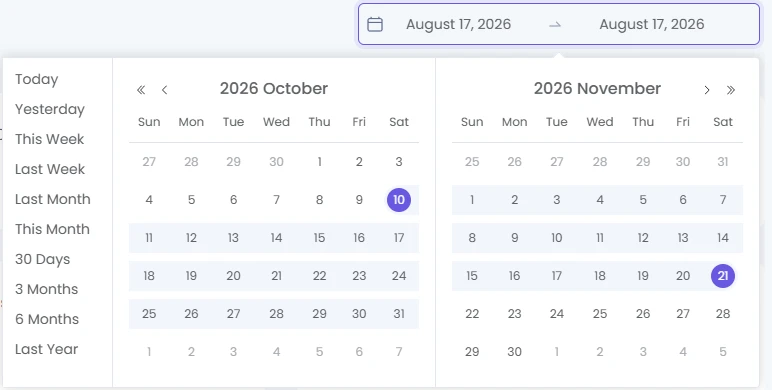
In the top-right corner of the dashboard, you’ll see a date range picker. Select a date range to view your dashboard metrics for a specific time period.
You can filter dashboard data using custom or predefined ranges such as:
- Today
- Yesterday
- This Week
- Last Week
- Last Month
- This Month
- 30 Days
- 3 Months
- 6 Months
- Last Year
Changing the selected date range automatically updates:
- Key Performance cards
- Performance charts
- Affiliate statistics
- Commission data
These predefined date ranges are great for analyzing your performance over different time periods.
Key Performance Metrics
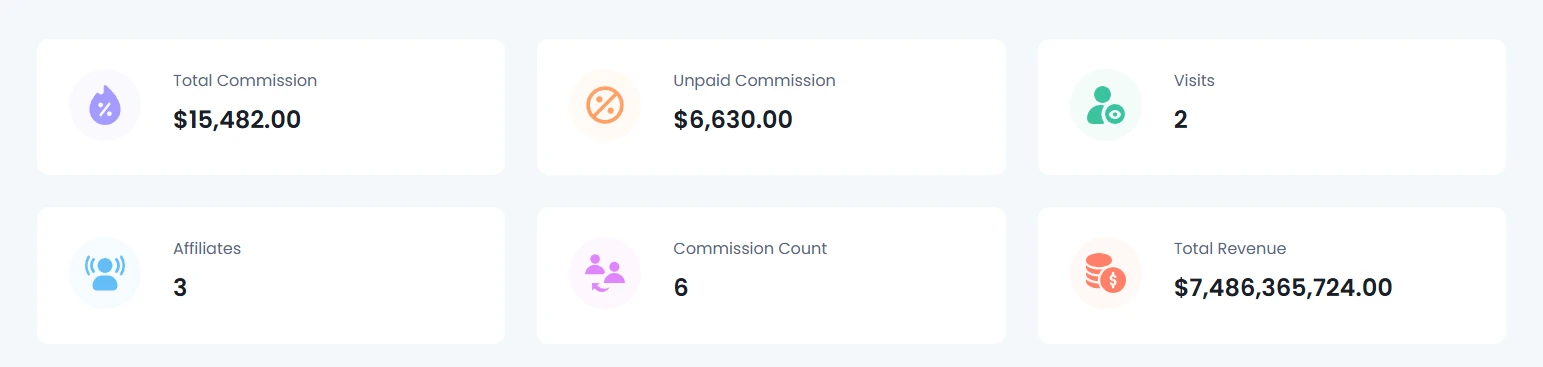
The KPI cards at the top of the dashboard shows all the important business data of your affiliate program for the selected date range. You can see here real time metrics of:
Total Commission
This card shows the total commission generated by your affiliates during the selected time period.
Unpaid Commission
You can see here the total commission that has not yet been paid to affiliates. It’s useful for tracking outstanding payouts.
Visits
This key metrics card shows the total number of affiliate referral visits recorded in-between. This helps you understand how much traffic your affiliates are driving to your website.
Affiliates
Here you can see the total number of registered affiliates in your affiliate program.
Commission Count
This shows the total number of commission records generated during the selected period.
Total Revenue
Here you can see the total revenue generated from affiliate referred orders during the selected period.
Technical Analysis (Dashboard Graph Insights)
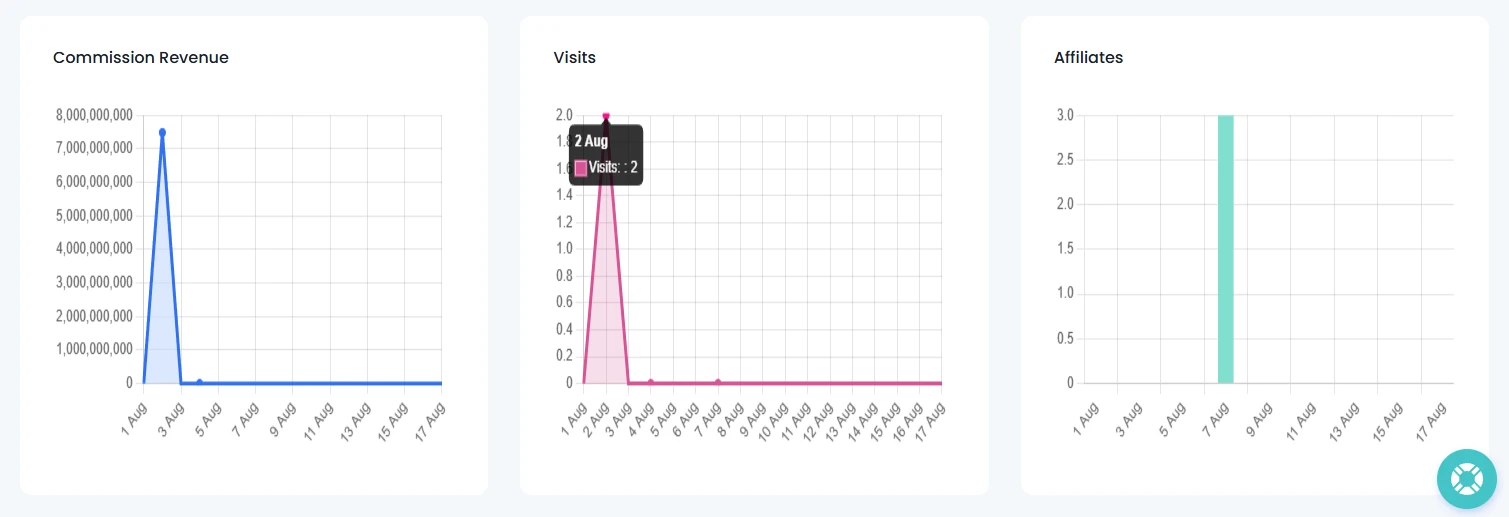
The Dashboard shows you three visual graphs for visualizing your affiliate program’s performance over time:
- Commission Revenue
- Visits
- Affiliates
These real-time graphs make it easy to recognize trends, compare performance and evaluate the effectiveness of your affiliate program
Most Valuable Affiliates
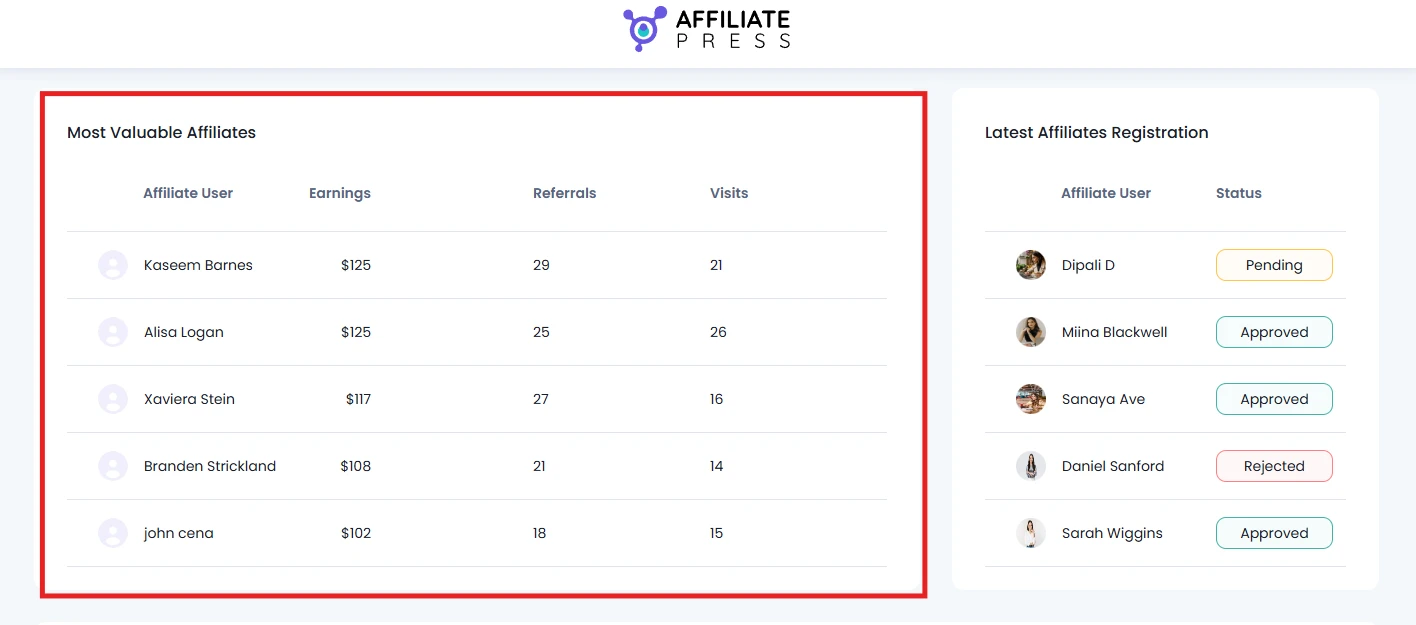
If you scroll down, you’ll be able to see a complete, recent list of your top performing affiliates based on their earnings, referrals and visits.
Here you can see
- Affiliate user name
- Their earnings
- Total Referrals
- Total number of visits
From this table, you can quickly see your highest performing partners and recognize affiliates contributing the most to your business, at a glance.
Latest Affiliate Registrations
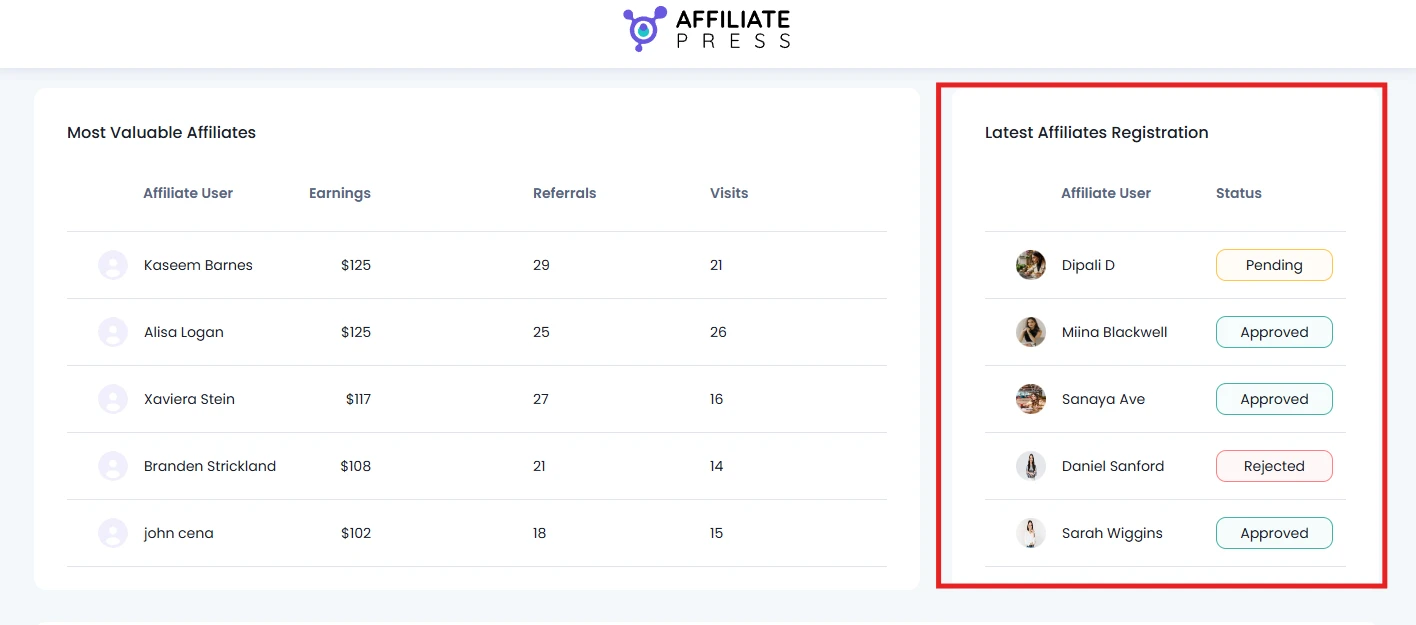
Next to Most Valuable Affiliate table, you’ll also able to see the list of your recently registered affiliates along with their approval status:
- Profile photo
- Affiliate User Name
- Status (Approved/Pending/Rejected)
This lets you track new affiliate applications and quickly verify whether affiliates have been approved or not.
Note: This Latest Affiliates Registration section only lets you view, not modify or change the affiliate application status. To change an affiliate’s status, you can go to AffiliatePress → Affiliates.
Recent Commissions
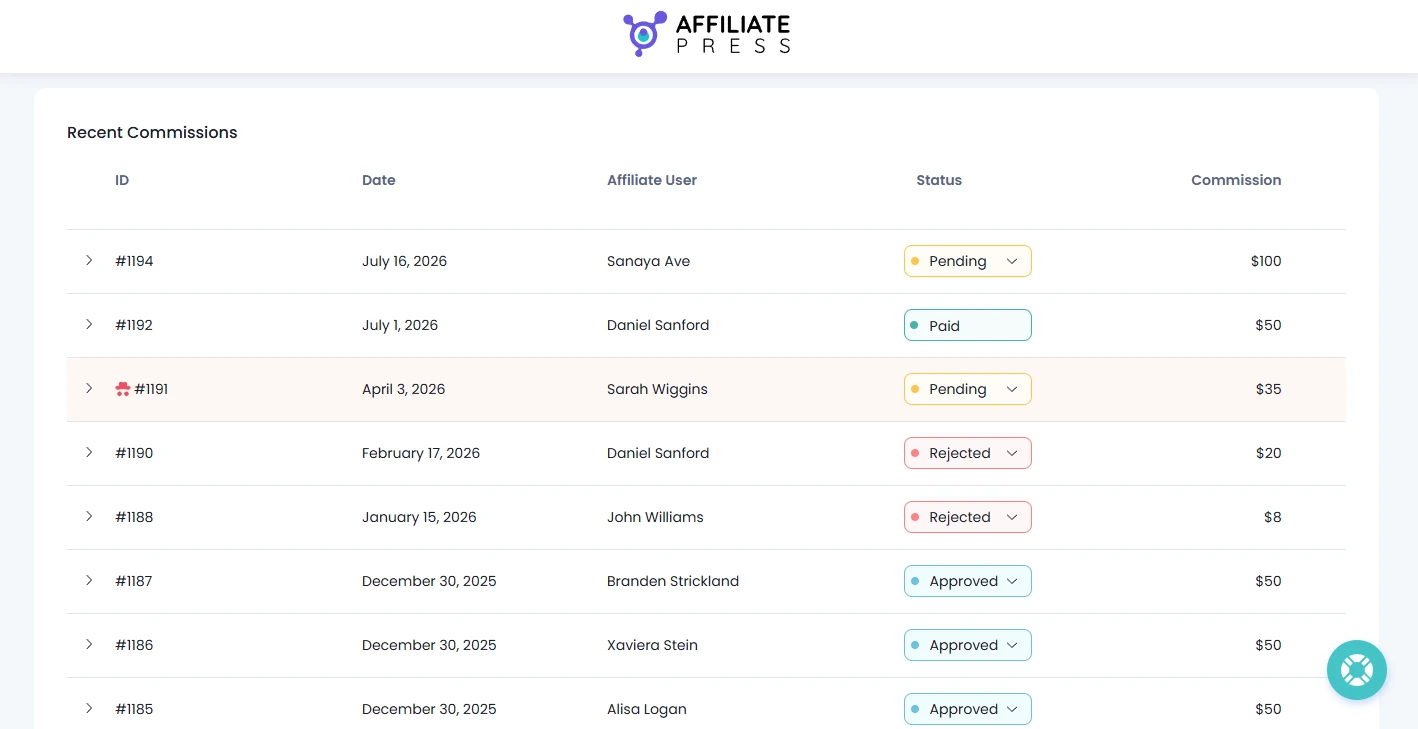
The Recent Commissions section at last provides a chronological list of the latest commissions generated through your affiliate program.
Here you verify commission activity and review recent affiliate earnings without opening individual commission records:
- Commission ID
- Date
- Affiliate User
- Status
- Commission Amount
Click any commission record to view additional details such as:
- Source
- Commission Type
- Reference
- Order Amount
- Product
You can also change the commission status right from here to:
- Approved
- Pending
- Rejected
Get the Most of Your AffiliatePress Dashboard
- Review your Total Commission to track your affiliate program’s overall performance.
- Check Unpaid Commission before continuing with affiliate payouts.
- Use the date filter to compare performance of each week, month and year to understand patterns.
- Track referral Visits to understand how much traffic your affiliates are driving.
- Keep an eye on your Most Valuable Affiliates to recognize your top performing affiliate partners.
- Review Recent Commissions to make sure all recent affiliate commissions are being tracked correctly.