



Affiliate Landing Page
The Affiliate Landing Page Addon lets you assign a specific WordPress page or post to an individual affiliate. When visitors land on that assigned page, AffiliatePress automatically tracks the referral to that affiliate, even if the visitor did not click their affiliate referral link.
This guide will show you how to assign affiliate landing pages to affiliates in AffiliatePress.

Install and Activate the Affiliate Landing Page Addon
Before you get started, make sure AffiliatePress Pro is installed and activated on your WordPress website.
Once AffiliatePress Pro is set up, you can install and activate the Affiliate Landing Page Addon to assign WordPress pages or posts to individual affiliates and track referrals from those pages.
Assign a Landing Page to an Affiliate
You can assign a WordPress page or post to an individual affiliate using the AffiliatePress Meta Box in the WordPress editor.
For assigning a landing page:
1. Go to Pages → Add Page or Posts → Add Post, or edit an existing page or post.
2. In the WordPress editor, find the AffiliatePress Meta Box in the right hand sidebar (If you can’t find it, check the Meta Boxes at the footer).
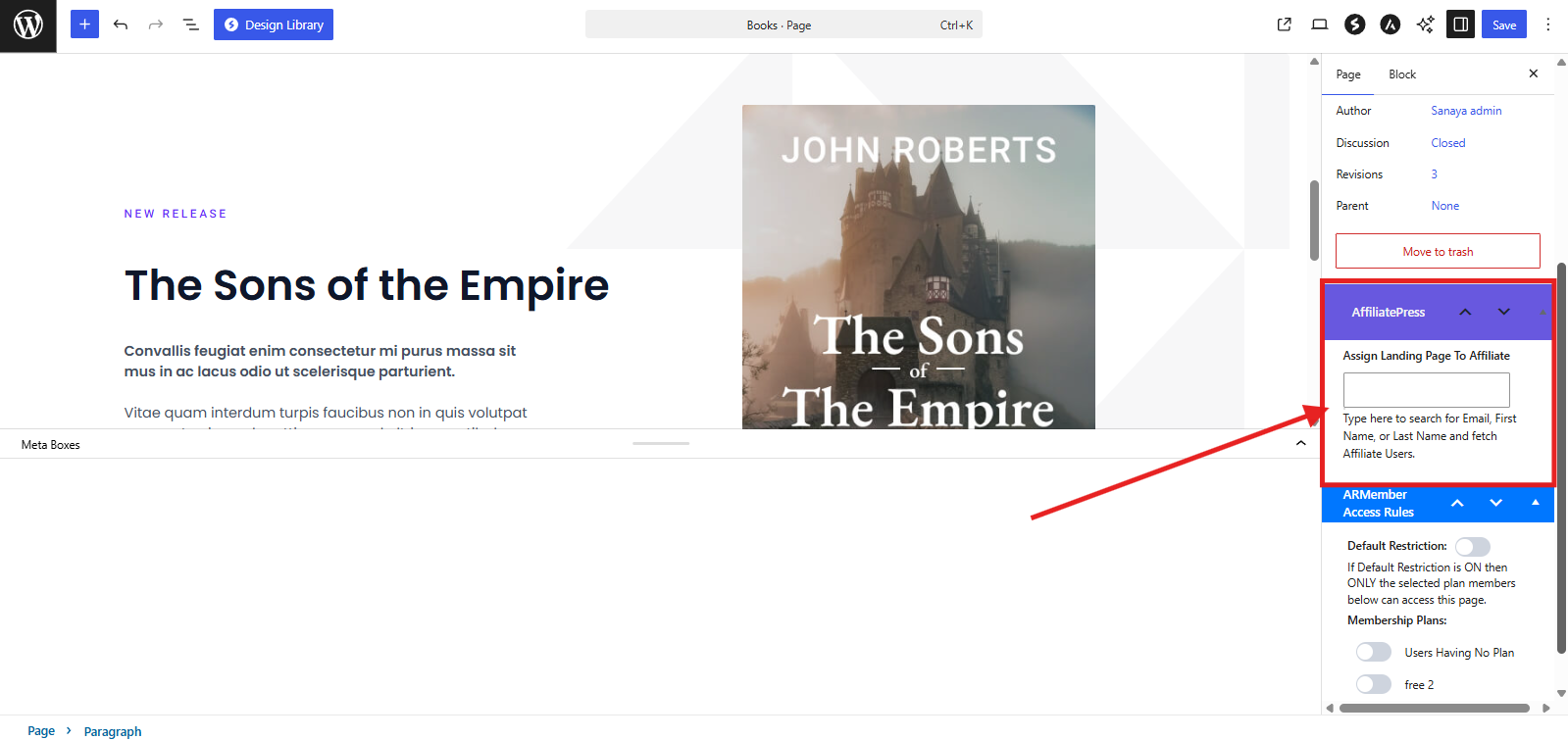
3. In the “Assign Landing Page To Affiliate” field, search for the affiliate by their first name, last name or username.
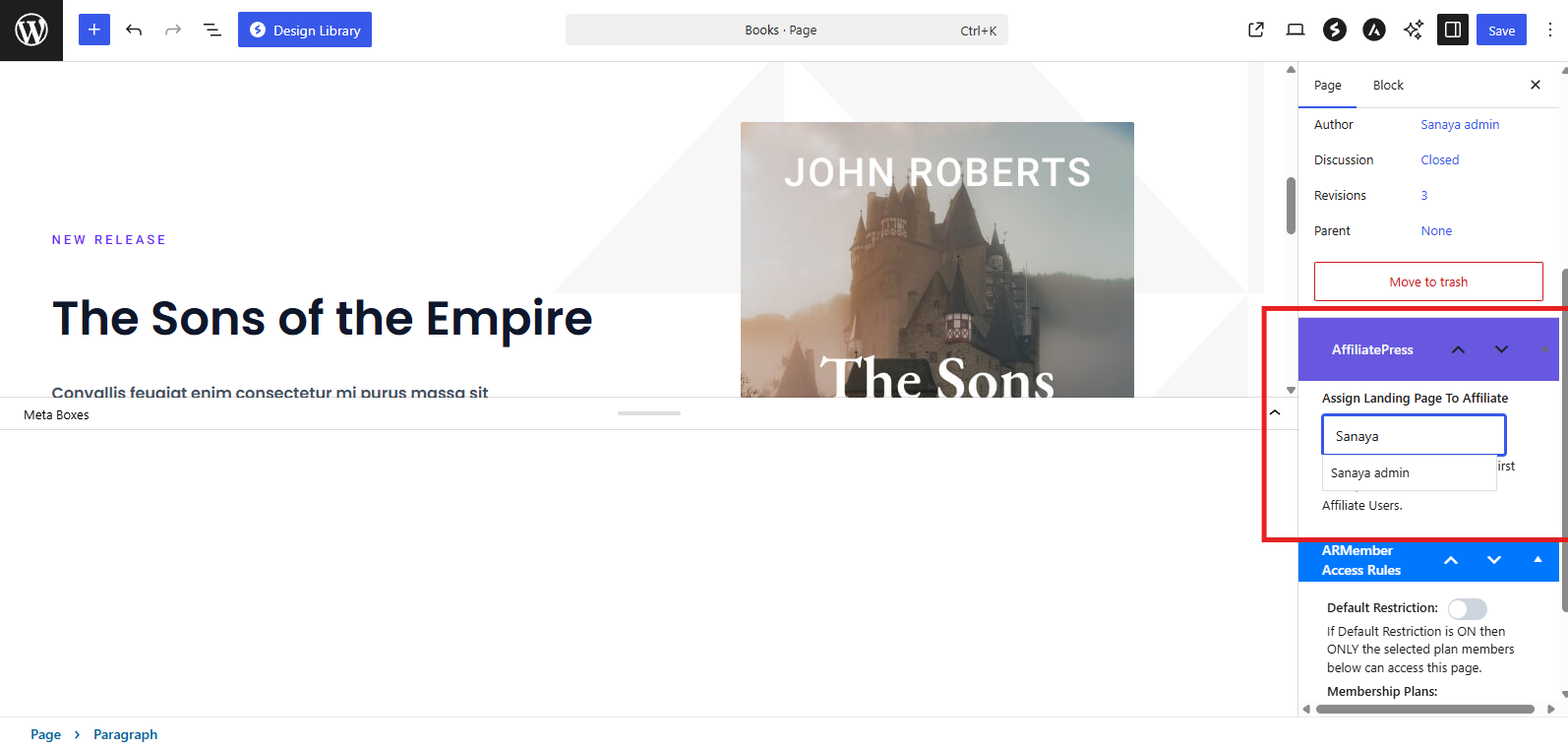
4. Now select the affiliate you want to assign to the page or post.
5. Lastly, click Publish or Save.
That’s all. After you save the page or post, it will be assigned automatically to that selected affiliate, and they can access these landing page URLs from their own Affiliate Panel.
This way whenever visitors land on the assigned page or post, AffiliatePress tracks eligible referrals to that affiliate.
View Assigned Landing Pages in the Affiliate Panel
Affiliates can view the affiliate landing pages assigned to them directly from the Affiliate Panel.
Simply ask them to log in to their Affiliate Panel, and go to the Affiliate Links tab. Now scroll till you see the Affiliate Landing Page section.
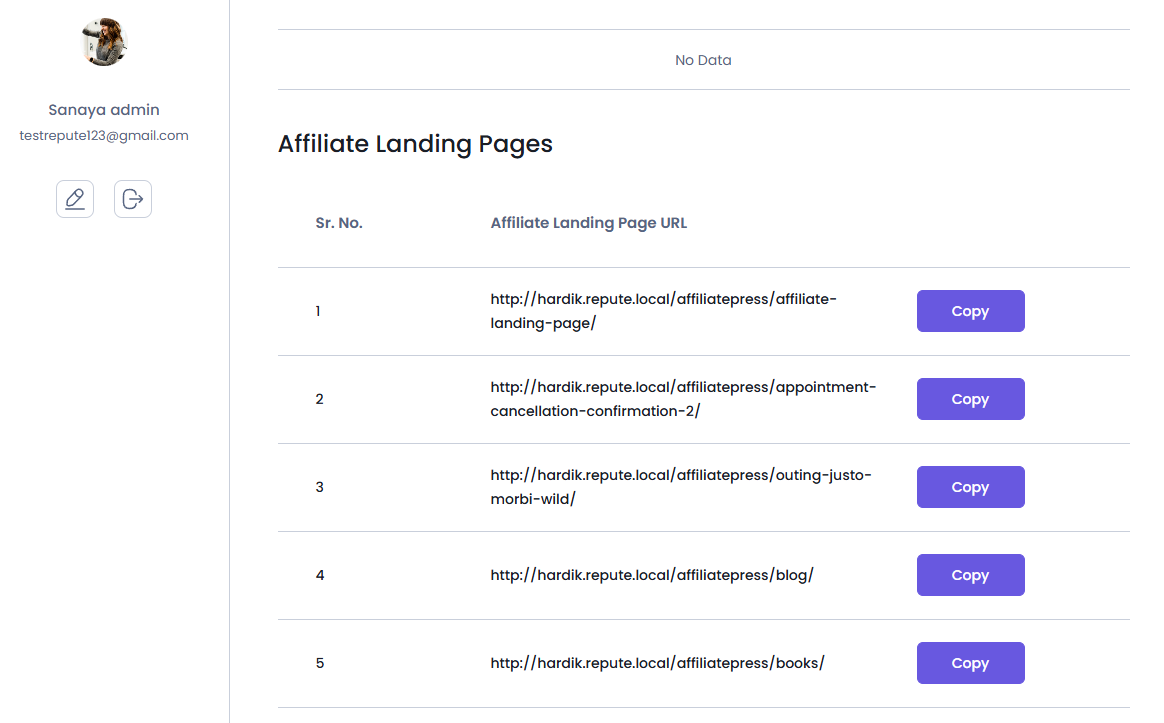
Here, you can see the WordPress pages or posts assigned to affiliates by the admin. Just copy the landing page URL and share it with your audience through any of your preferred marketing channels.
The assigned landing page URL can be shared directly without adding an affiliate ID or referral parameter manually. Thus when visitors use the assigned landing page, AffiliatePress tracks eligible referrals to the assigned affiliate.
How Does Affiliate Landing Page Tracking Work?
When an affiliate is assigned to a WordPress page or post, AffiliatePress automatically associates that page or post with the selected affiliate for referral tracking.
For instance, if you assign a promotional page to Sanaya, Sanaya can share the assigned landing page URL directly with her audience. Thus when a visitor lands on that page and makes a qualifying purchase, AffiliatePress attributes the referral to Sanaya.
What makes it much more easy to share and promote is that the visitor does not need to click a traditional affiliate referral link or have an affiliate ID added to the URL. AffiliatePress recognizes the assigned affiliate from the landing page or post itself.
This makes Affiliate Landing Page Addon useful for affiliate campaigns, influencer promotions, email marketing, social media promotions and other campaigns where affiliates want to share a specific page directly with their audience.
Important: If a visitor already has a referral associated with another affiliate, the assigned landing page can override the existing referral attribution. This makes sure that the affiliate assigned to the landing page receives credit for eligible referrals from that page.