



GiveWP Integration
Integrating AffiliatePress with GiveWP lets you track affiliate commissions whenever a donation is made through your GiveWP donation forms.
Whether you’re collecting donations for charities, non-profit organizations, fundraising campaigns, churches, or community initiatives, AffiliatePress tracks and assigns accurately in real time to the affiliate who referred the donor.

Here we’ll show you how to integrate GiveWP with AffiliatePress.
Before You Begin
Before setting up the integration, make sure you have the following installed and activated:
- WordPress with administrator access
- GiveWP
- AffiliatePress
Set Up GiveWP Integration
To connect GiveWP with AffiliatePress:
- Head over to AffiliatePress → Settings → Integrations.
- Scroll down until you find the GiveWP integration.
- Toggle on the integration and save your changes.
Here’s the option you can configure:
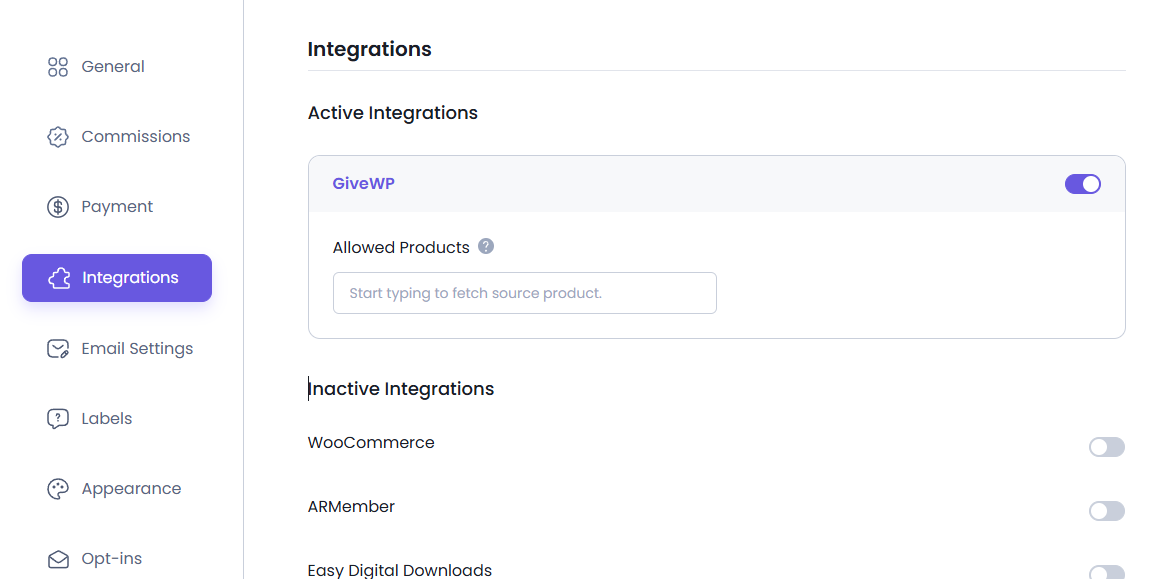
Enable Affiliate Tracking for Individual Donation Forms
Turning on the integration doesn’t automatically make every donation form part of your affiliate program. You can decide which forms should generate affiliate commissions.
For setting commission tracking for a donation form:
1. Go to Donations → Campaigns.
2. Click on the title of the form or select Edit under the campaign name.
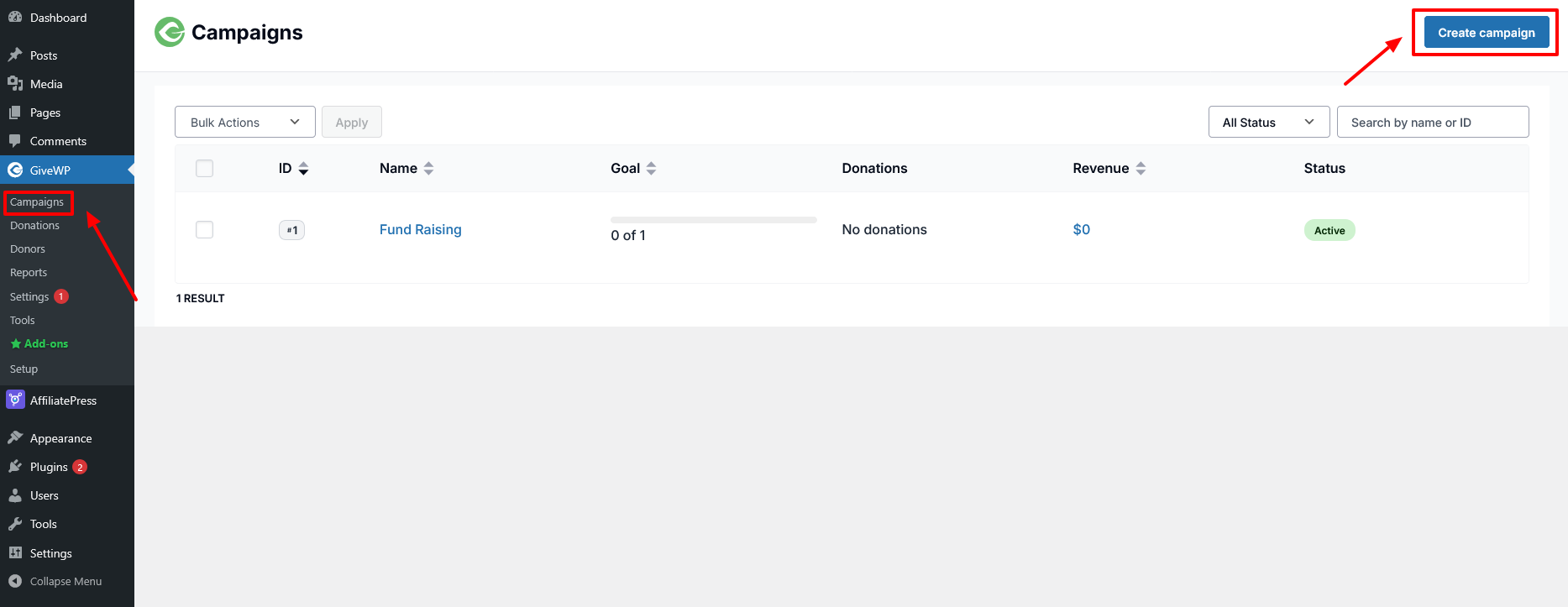
3. In the Campaign editor, click the Forms tab.
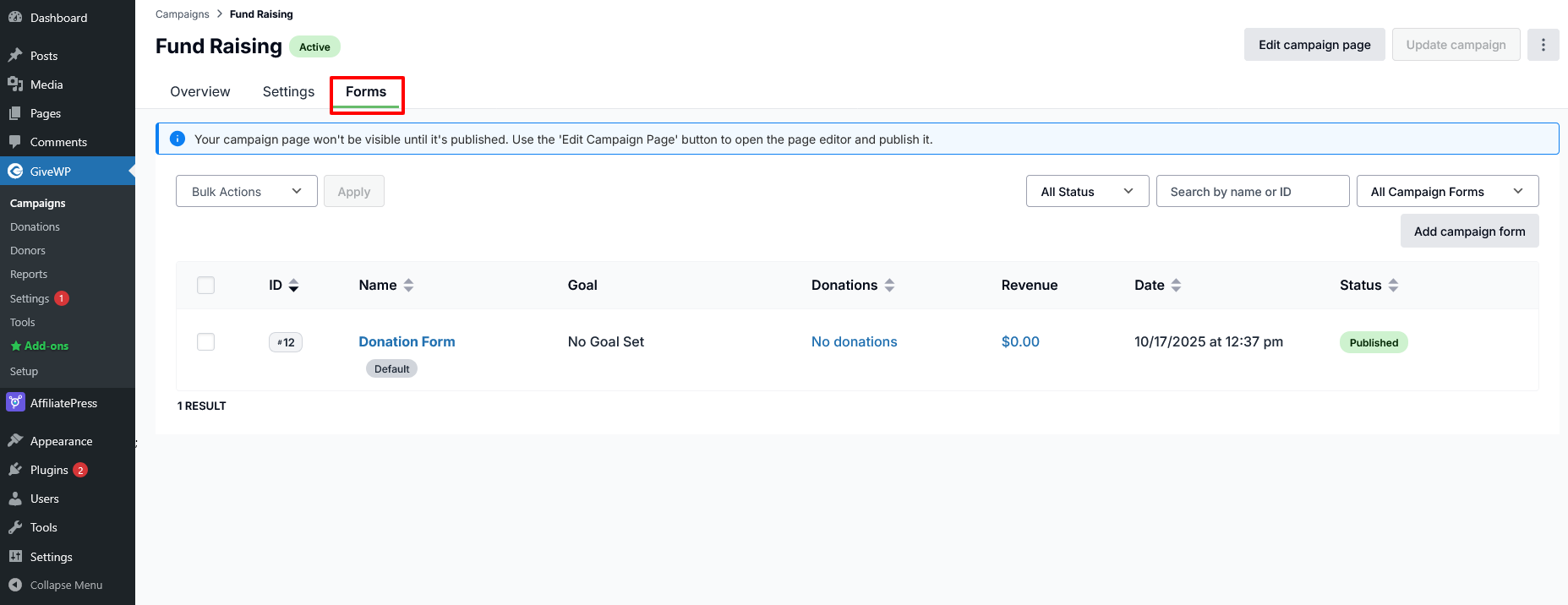
4. Edit the Form.
5. At the time you edit the form, you will be able to check the Settings tab.
6. Here on the left sidebar locate the AffiliatePress Settings
7. Enable the Commission and update the settings.
8. This will integrate AffiliatePress with your donation form
Product-wise Commission Add-on Support
The Product-wise Commission Rate add-on lets you assign different commission rates to individual GiveWP donation forms.
For example:
| Donation Form | Commission |
| General Donations | 15% |
| Monthly Giving | 20% |
| Disaster Relief Campaign | Default Rate |
Donation form specific commission rates always override:
- Default commission
- Group commission
- Affiliate specific commission
Donation forms without a custom commission rate continue using the default commission settings.
For detailed setup instructions and more information, click here.
Product Selection Add-on Support
AffiliatePress allows you to control which GiveWP donation forms are eligible for affiliate commissions.
To use this feature, you must install and activate the AffiliatePress Product Selection Addon. Once activated, you can select specific donation forms that should generate affiliate commissions. Donation forms that are not selected will not generate commissions.
After installing the add-on:
- Go to the GiveWP integration settings.
- Choose the donation forms under Allowed Products.
- Save your settings.
Note: Products selected through this add-on override the Disable Commissions product setting and will still generate commissions.
For detailed setup instructions and more information, click here.
How GiveWP Commission Tracking Works
After turning on the GiveWP integration:
- A visitor clicks an affiliate link.
- The visitor opens a GiveWP donation form.
- The donation is completed successfully.
- AffiliatePress attributes the donation to the referring affiliate.
- A commission is created based on your commission settings.