



Available Shortcodes in AffiliatePress
AffiliatePress provides several shortcodes that allow you to show affiliate related functionality on any page or post.
Add AffiliatePress Shortcodes to a Page
You can add AffiliatePress shortcodes to any WordPress page or post using the Shortcode block or the AffiliatePress block. Simply follow the below provided steps:
- Login to your website’s admin panel.
- Go to the Admin Panel → Pages → Add/Edit Page.
- At the page, search for the AffiliatePress under the Blocks.
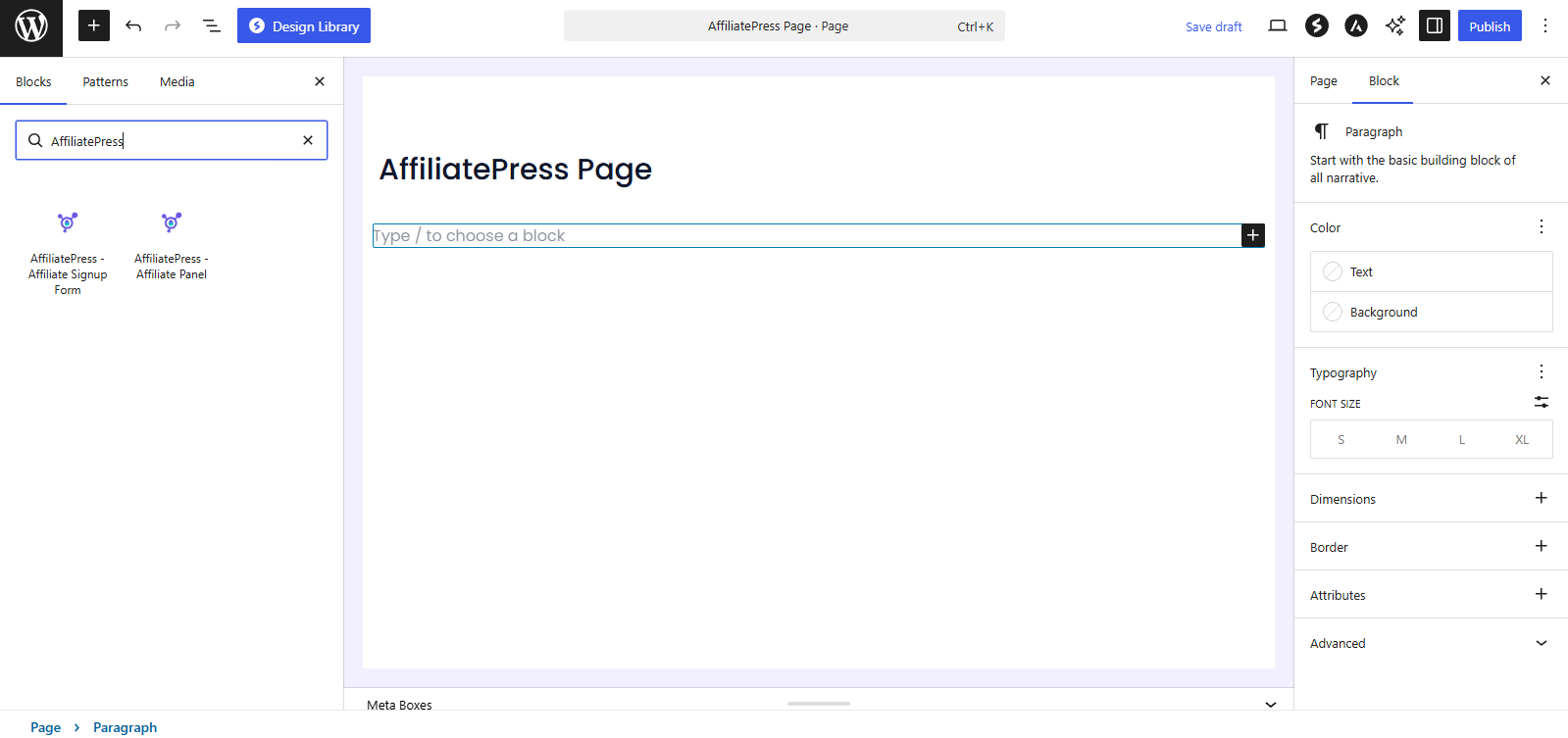
- After the keyword is searched, the shortcodes will be shown.
- Just insert the required shortcode, and publish or update the page.
AffiliatePress Shortcode Library
Here are the AffiliatePress shortcodes available.
| Shortcode | Description | Common Use |
| [affiliatepress_affiliate_panel] | Shows the affiliate dashboard. | Create an dedicated Affiliate Panel or dashboard page. |
| [affiliatepress_affiliate_registration] | Shows the affiliate signup form. | Create a “Become an Affiliate” page. |
| [affiliatepress_creative id=”3″] | Shows a selected creative. | Shows a promotional banner on a landing page. |
Affiliate Panel Shortcode
[Affiliatepress_affiliate_pane]
AffiliatePress allows you to give your affiliates their own dedicated affiliate panel. You can use this AffiliatePress shortcode to show affiliate dashboard/panel from where registered