



LearnDash Integration
AffiliatePress integrates with LearnDash to automatically track affiliate commissions whenever a customer enrolls in your LearnDash courses.
Once the integration is set, AffiliatePress automatically considers eligible course enrollments for commission tracking.
Here, we’ll show you how to integrate LearnDash with AffiliatePress.
Before You Begin
Before configuring the integration, make sure you have the following installed and activated:
- WordPress with administrator access
- LearnDash
- AffiliatePress
Set Up LearnDash Integration
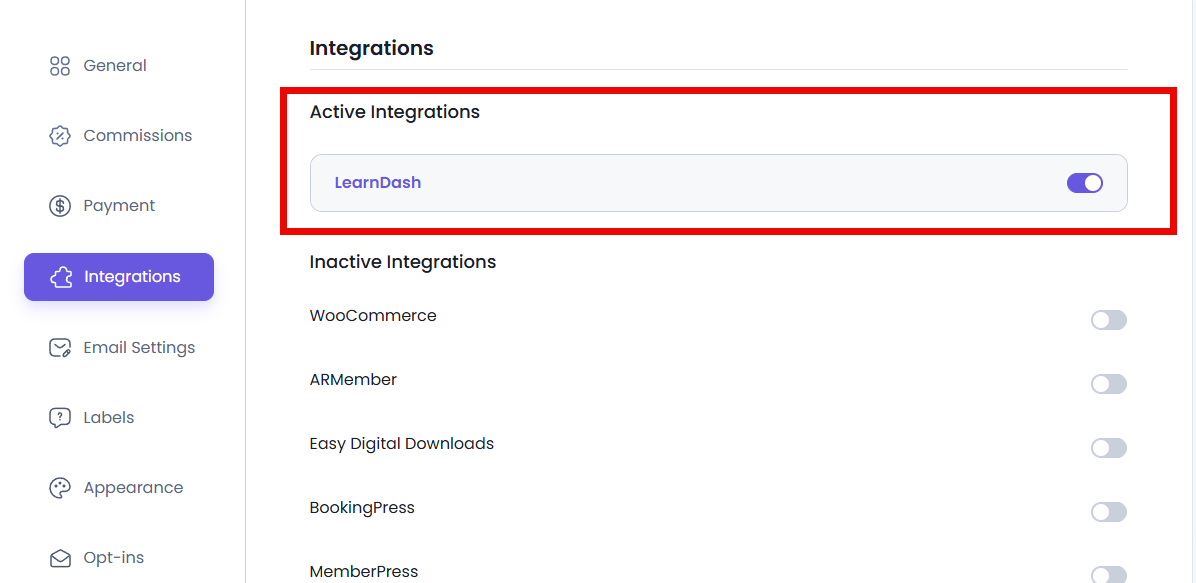
For setting up LearnDash integration:
- Go to AffiliatePress → Settings → Integrations.
- Scroll down till you see the LearnDash integration.
- Simply toggle it on and save your changes.
Remember LearnDash does not have any additional integration settings within AffiliatePress. Once the integration is activated, AffiliatePress automatically tracks eligible course enrollments and generates commissions based on your configured commission rules.
Note: AffiliatePress integration settings are available only when using the LearnDash Pro version.
How LearnDash Commission Tracking Works
After the LearnDash integration is enabled:
- A visitor clicks an affiliate link.
- AffiliatePress tracks commission.
- The customer enrolls in a LearnDash course.
- AffiliatePress validates the enrollment.
- A commission is generated for the affiliate based on your commission settings.