



Affiliate Leaderboard Addon
The AffiliatePress Leaderboard Addon allows you to display a dynamic leaderboard showcasing your top performing affiliates based on performance metrics such as commissions earned, referral visits, commission count, and total sales.
This feature is perfect for encouraging competition and rewarding high achievers within your affiliate program.
In this guide, we’ll show you how to activate and add affiliate leaderboards with AffiliatePress.

Install and Activate the Affiliate Leaderboard
Before we get started, make sure AffiliatePress Pro is installed and activated on your WordPress website.
Once AffiliatePress Pro is set up, you can install and activate the Affiliate Leaderboard Addon to show and customize your affiliate rankings on your website.
Add the Affiliate Leaderboard to Your Website
After the Affiliate Leaderboard Addon is activated, you can show the leaderboard anywhere on your WordPress website using a simple shortcode.
Here’s how to add the affiliate leaderboard:
- If you want to add the Affiliate Leaderboard to a post or page, go to WordPress Dashboard → Posts or Pages.
- Next, add a new page/post or edit an existing page/post where you want to show the leaderboard.
- Now, add the following shortcode to the page content:
[affiliatepress_affiliate_leaderboard]
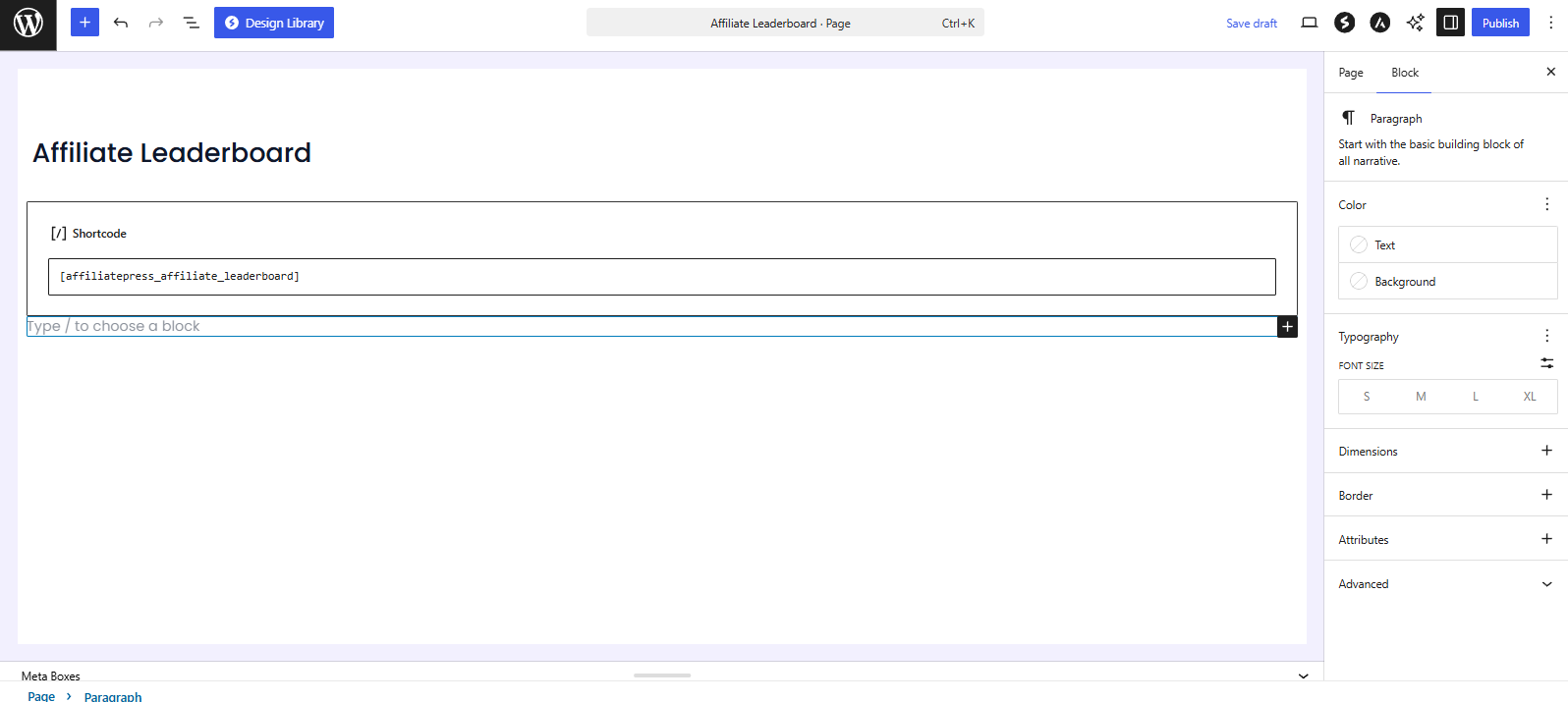
- Publish or update the page.
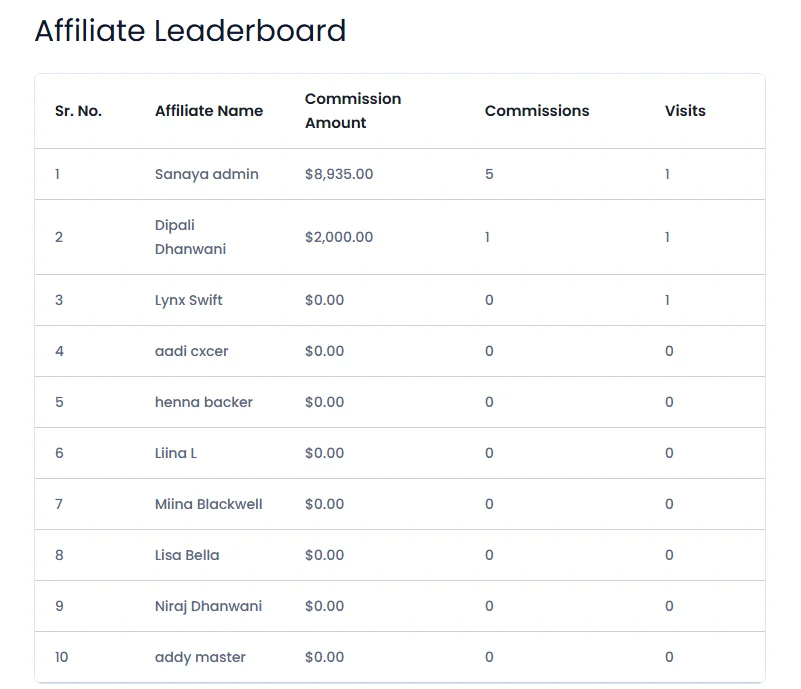
The leaderboard will now appear on your website and automatically show your top performing affiliates based on their performance data. The leaderboard now by default will show the top 10 affiliates for the current month, ranked according to their total earned commission.
Customize Affiliate Leaderboard Using Shortcode Parameters
You can customize the AffiliatePress leaderboard using shortcode parameters. These parameters allow you to control how many affiliates are shown, pick the date range, select the columns shown, and change how affiliates are ranked.
Limit Number of Affiliates Displayed
By default, the leaderboard shows the top 10 affiliates. You can use the limit parameter to change the number of affiliates displayed.
For example, to display the top 25 affiliates, use:
[affiliatepress_affiliate_leaderboard limit="25"]
This will display the top 25 affiliates based on the leaderboard’s current ranking method.
Filter Leaderboard by Date Range
Use the date parameter to show affiliate performance for a specific time period.
The available options are:
- this_month: Shows performance for the current month.
- last_month: Shows performance for the previous month.
- this_week : Shows performance for the current week.
- last_week : Shows performance for the previous week.
- this_year : Shows performance for the current year.
- last_year : Shows performance for the previous year.
For example, to display the leaderboard for the current year, use:
[affiliatepress_affiliate_leaderboard date="this_year"]
Select Leaderboard Columns
Use the columns parameter to choose which affiliate details are displayed in the leaderboard.
The available column options are:
- username: Shows the affiliate’s username.
- affiliate_name : shows the affiliate’s name.
- commissions_count : Shows the number of commissions.
- commissions_amount : Shows the total commission amount.
- visits : Shows the number of referral visits.
You can combine multiple columns in the same shortcode.
For example:
[affiliatepress_affiliate_leaderboard columns="affiliate_name,commissions_count,commissions_amount,visits"]
This shows the affiliate name, commission count, commission amount, and referral visits.
Change Affiliate Ranking Method
Use the orderby parameter to control how affiliates are ranked on the leaderboard.
The available ranking options are:
- commissions_count : Ranks affiliates based on the number of commissions.
- commissions_amount : Ranks affiliates based on the total commission amount.
- visits : Ranks affiliates based on referral visits.
For example, to rank affiliates by referral visits, use:
[affiliatepress_affiliate_leaderboard columns="affiliate_name,commissions_amount,visits" orderby="visits"]
This shows the selected columns and ranks affiliates based on their referral visits.
Combine Multiple Shortcode Parameters
You can combine multiple parameters to create a leaderboard that matches your requirements.
For instance, to show the top 15 affiliates of the current year and rank them by commission count, you can use:
[affiliatepress_affiliate_leaderboard limit="15" date="this_year" orderby="commissions_count" columns="affiliate_name,commissions_count,commissions_amount"]
This shortcode:
- Shows the top 15 affiliates.
- Displays data for the current year.
- Ranks affiliates by commission count.
- Displays the affiliate name, commission count and commission amount.
Shortcode Parameter Reference
| Parameter | Purpose | Example |
| limit | Sets the number of affiliates displayed. | limit=”25″ |
| date | Filters the leaderboard by a specific time period. | date=”this_month” |
| columns | Controls which affiliate details are shown. | columns=”affiliate_name,visits” |
| orderby | Decides how affiliates are ranked. | orderby=”visits” |