



MemberPress Integrations

AffiliatePress integration with MemberPress allows you to efficiently manage affiliate referrals and commissions. This integration simplifies affiliate tracking, optimizes commission structures, and helps boost your membership sales through powerful affiliate marketing capabilities.
MemberPress integration
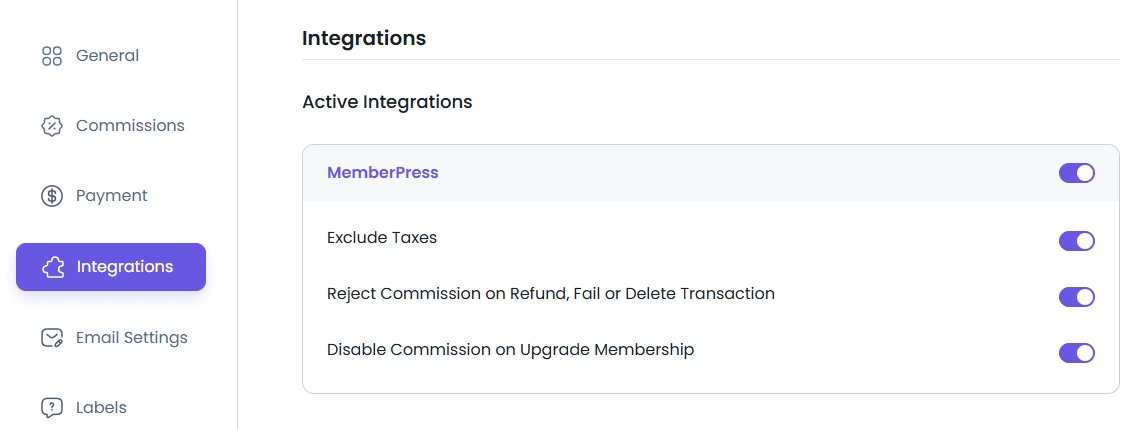
To enable MemberPress support, navigate to AffiliatePress > Settings > Integrations and enable the MemberPress integration by enabling the switch. Once enabled, additional options will appear, including “Exclude Taxes,” “Reject Commission on Refund, Fail or Delete Transaction,” and “Disable Commission on Upgrade Membership.”
Exclude Taxes: When enabled, membership taxes will not be included in the order total for commission calculations.
Reject Commission on Refund, Fail, or Delete Transaction: If enabled, the unpaid commission for an order will automatically be rejected if the MemberPress transaction is refunded, failed, or deleted.
Disable Commission on Upgrade Membership: If this option is enabled, then the commission will be disabled for all the membership plans where the purchase is upgraded.
Disabling Commissions for a Particular Membership Plan
By default, commissions are generated for all your membership plans. However, you can disable commissions for a specific membership plan in MemberPress. To do this, please follow the steps below:
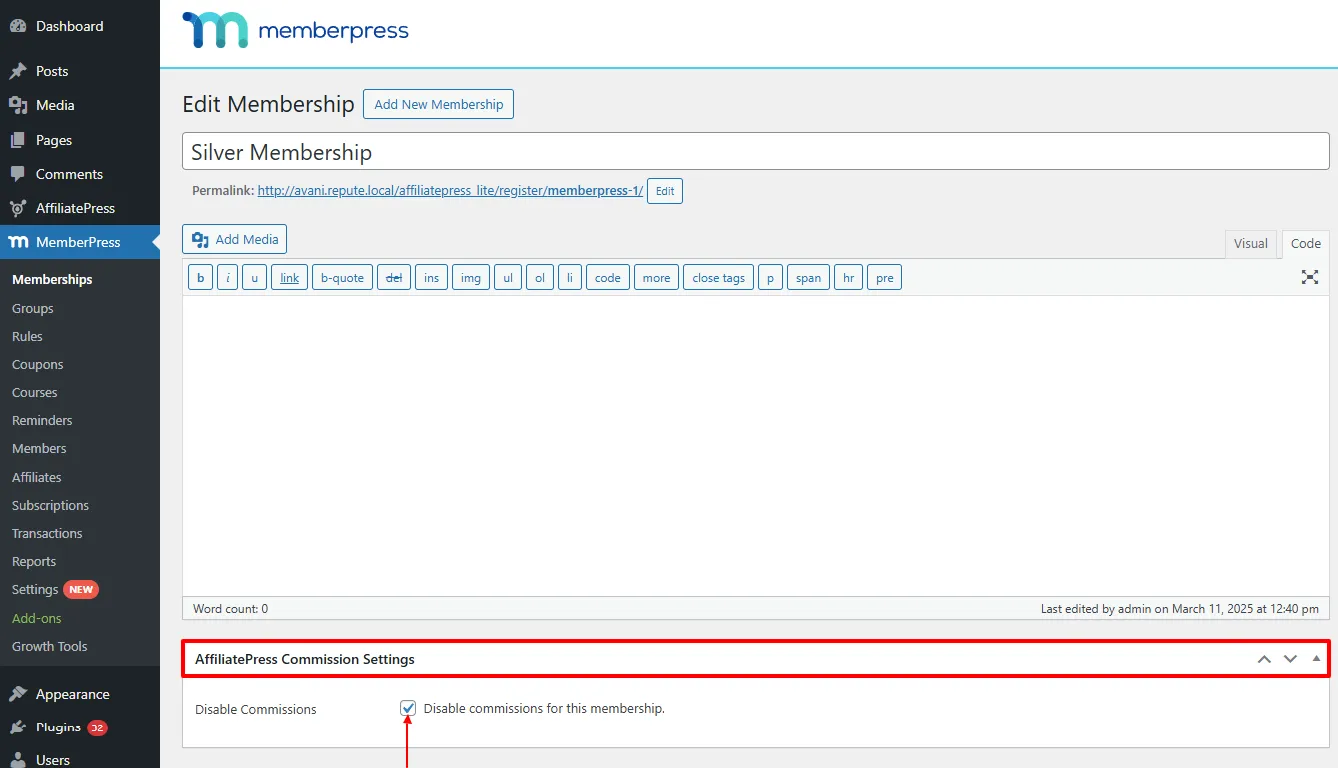
Navigate to your WordPress Admin > MemberPress > Memberships, and click to edit the membership plan for which you want to disable commissions.
On the plan’s edit screen, scroll down to the AffiliatePress Commission Settings.
Turn on the “Disable Commission For This Membership” option switch and save the membership plan.
Note: The disabled MemberPress plan commission option will not be working if the “Commission Basis” setting is set to “Commission Per Order.”
Note: The AffiliatePress settings will only be available when using the Pro version of MemberPress.