



AffiliatePress Inbuilt Language Support for a Global Audience
AffiliatePress, a robust WordPress affiliate management plugin, supports multiple languages to ensure accessibility for users worldwide. With AffiliatePress’s built-in languages, you can easily switch to your preferred language and enjoy a smooth, localized experience. In this guide, we’ll walk through the available languages and how to change them on your WordPress site.
AffiliatePress Inbuilt Languages
AffiliatePress comes with a wide range of pre-installed languages, allowing administrators to work comfortably in their native language. Below is the list of available inbuilt languages:
- Arabic –
ar - German ( Deutsch)-
de_DE - English –
en_US - Spanish (Español) –
es_ES - French –
fr_FR - Italian –
it_IT - Dutch –
nl_NL - Polish-
pl_PL - Romanian –
ro_RO - Russian –
ru_RU - Turkish –
tr_TR - Ukraine-
uk
Changing Language Settings
Switching to your preferred language in AffiliatePress is quick and simple. Follow these steps:
- Log in to your WordPress dashboard.
- Navigate to
Settings⇾General Settings.
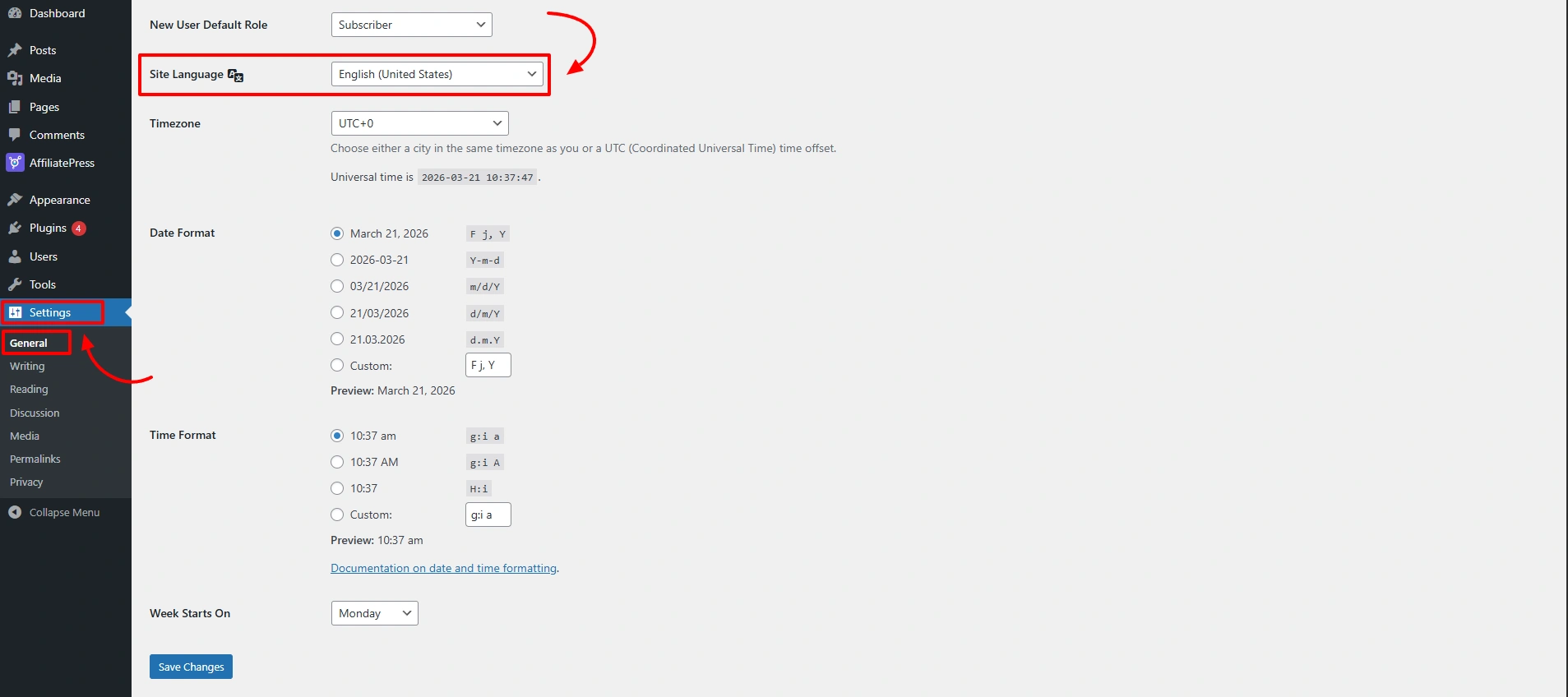
- Locate the Site Language dropdown menu and choose your desired language from the list.
- Once selected, AffiliatePress will automatically apply the chosen language across the plugin interface.
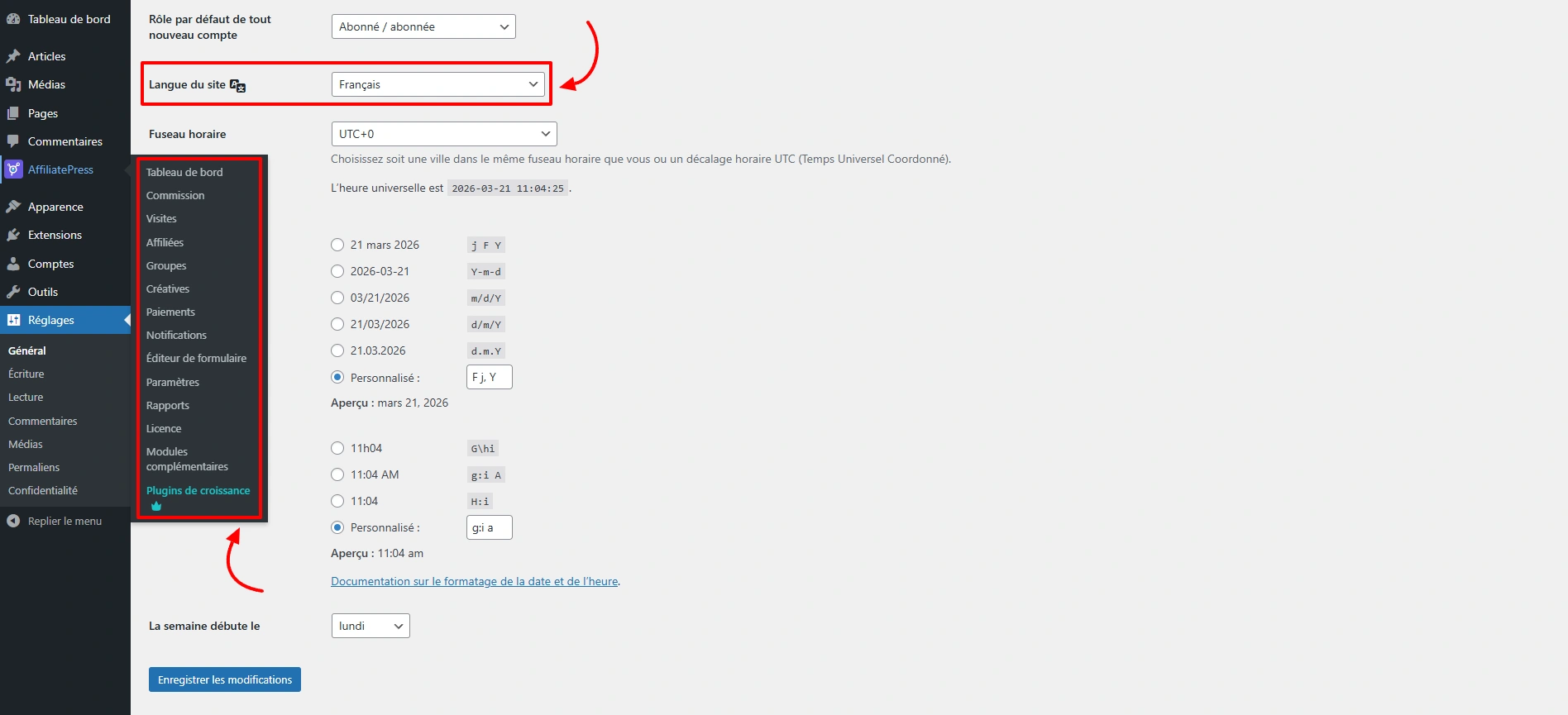
This ensures a consistent and user-friendly experience throughout your site.
Custom Translation Options for AffiliatePress
If your preferred language is not included in the built-in list, you can still localize AffiliatePress using third-party translation tools. The plugin is fully compatible with popular translation solutions such as the following:
- Loco Translate
- Poedit
Using these tools, you can create and manage custom translations, ensuring AffiliatePress meets your specific language requirements.