How To Run An Affiliate Program For Your Online Course Or Academy


Selling a course is one thing. Getting other people to consistently recommend it is another.
You may already have learners sharing your courses with friends, instructors mentioning them to their audiences, or creators linking to them when the topic comes up. An affiliate program simply puts a structure around those recommendations.
People get a trackable referral link. You decide what a successful referral is worth. When that referral turns into a qualifying sale, the affiliate earns a commission.
The idea is simple. Running the program well takes a little more thought.
TL;DR: Start by deciding who you actually want promoting your courses and what you can afford to pay them. Then set up your tracking and commission rules, recruit the right affiliates, give them useful promotional material, and build a payout process that stays manageable as the program grows.
Step 1: Define Your Goals And Find The Right Affiliates

Before getting into plugin settings or commission percentages, decide what you want the affiliate program to accomplish.
For an online course or academy, that could mean:
- reducing the cost of acquiring new learners
- reaching audiences you do not currently have access to
- turning happy learners into active referrers
- filling cohort-based courses or live classes
- building longer-term relationships with creators in your niche
Your goal should influence who you recruit.
For most course businesses, the strongest affiliates are not necessarily people searching for another affiliate program to join. They are people who already understand what you teach and who it is for.
That might include:
- learners who completed the course and got a meaningful result
- guest instructors or course collaborators
- niche YouTubers, bloggers, and newsletter writers
- coaches or consultants serving a similar audience
- creators who already recommend tools or resources in your space
There is also a more basic question worth answering before you recruit anyone: is the course ready to be promoted?
A potential affiliate should be able to understand what the learner gets, who the course is intended for, and why someone should choose it over the alternatives.
An affiliate program can bring more people to a strong offer. It will not do much for a course that struggles to convert the traffic it already gets.
Step 2: Build a Commission Structure That Makes Sense
The commission needs to be good enough for affiliates to care about promoting the course without eating too far into your margin.
Start with the numbers.
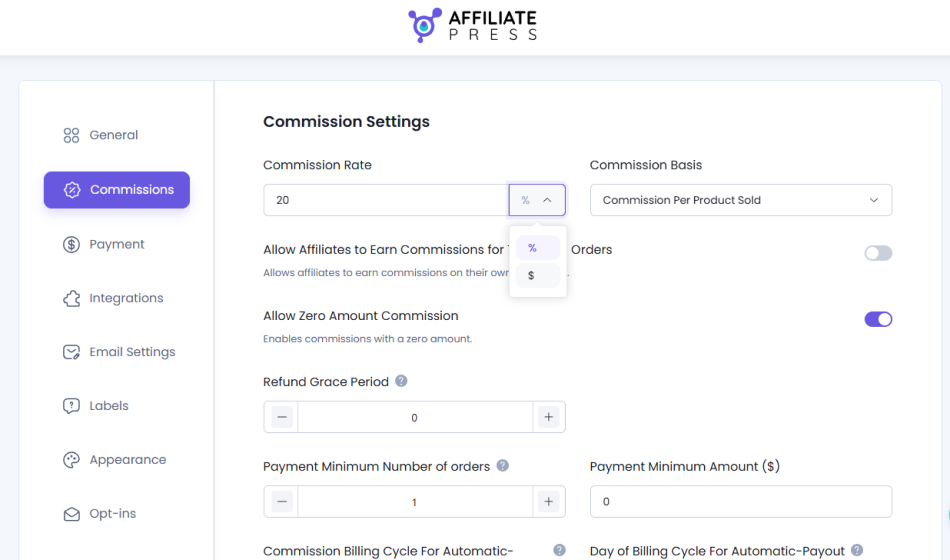
Suppose your course sells for $100 and your standard commission is 20%. Every approved affiliate sale costs you $20.
That calculation is easy. The important part is working out whether the remaining $80 still makes sense after payment processing, taxes, instructor costs, support, refunds, and anything else involved in delivering the course.
From there, choose how commissions will work.
AffiliatePress lets you configure the standard commission as either a percentage or a fixed amount. You can also use additional commission structures as the program matures.
For example, a new affiliate might begin at a standard rate, while affiliates who consistently generate sales can move into a higher commission tier or qualify for performance bonuses.
This gives you room to reward the people who are actually contributing without raising your base rate for everyone.
If you run an academy with multiple courses, you should also decide whether every course belongs in the affiliate program.
Maybe you have a low-priced introductory product that leaves very little margin. Maybe one course is meant primarily for existing learners. Or perhaps you only want affiliates promoting your flagship programs.
AffiliatePress’s Product Selection feature can be used to control which supported products are eligible to generate commissions.
For a Tutor LMS-based course site, for example, you can choose the courses that affiliates are allowed to promote instead of automatically including everything in your catalog.
For Product Selection to apply, the Commission Basis in AffiliatePress needs to be set to Commission Per Product Sold.
One limitation is worth keeping in mind here: AffiliatePress currently does not support assigning different product-wise commission rates to individual Tutor LMS courses. So you can control course eligibility, but not give Course A a 15% rate and Course B a 25% rate through that integration.
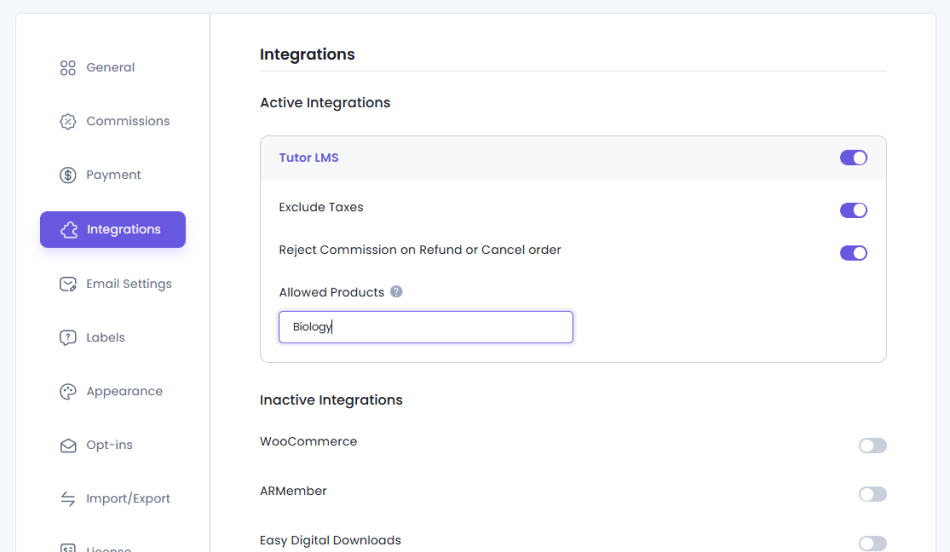
Please Note: The Allowed Products field appears when Product Selection addon is enabled.
Step 3: Connect Your Course Platform To AffiliatePress
Once your commission structure is clear, the next step is making sure course purchases are properly connected to affiliate referrals.
AffiliatePress supports integrations with different WordPress platforms. If your courses are built with Tutor LMS, there is a dedicated Tutor LMS integration for handling this connection.
You’ll need:
- WordPress admin access
- Tutor LMS installed with your courses set up for sale
- AffiliatePress with the Tutor LMS integration available
To connect them:
- Enable the Tutor LMS integration addon in AffiliatePress.
- Open the integration settings.
- Find Tutor LMS.
- Turn on the integration and configure your commission behavior.
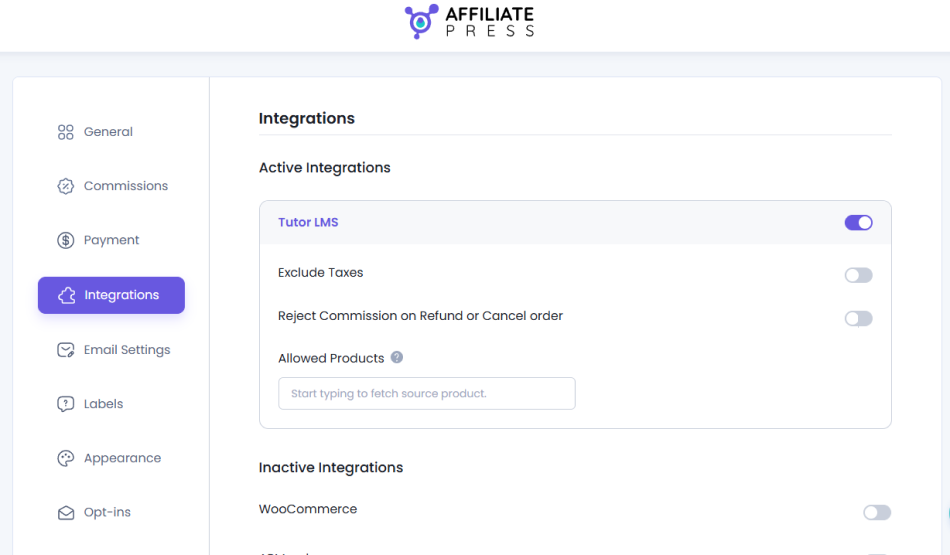
Once connected, there are a few settings worth going through carefully.
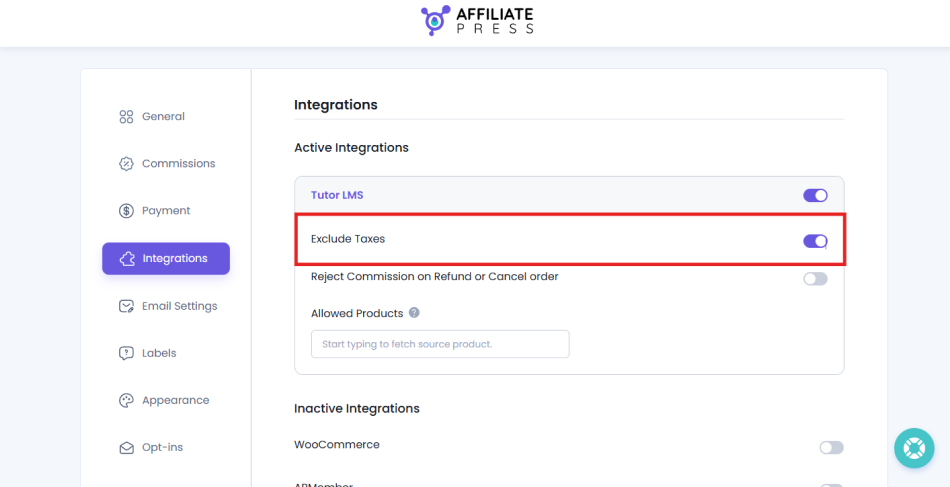
Exclude Taxes
Enable Exclude Taxes if affiliate commissions should be calculated from the course price before tax.
This keeps tax collected on an order outside the amount used for the affiliate calculation.
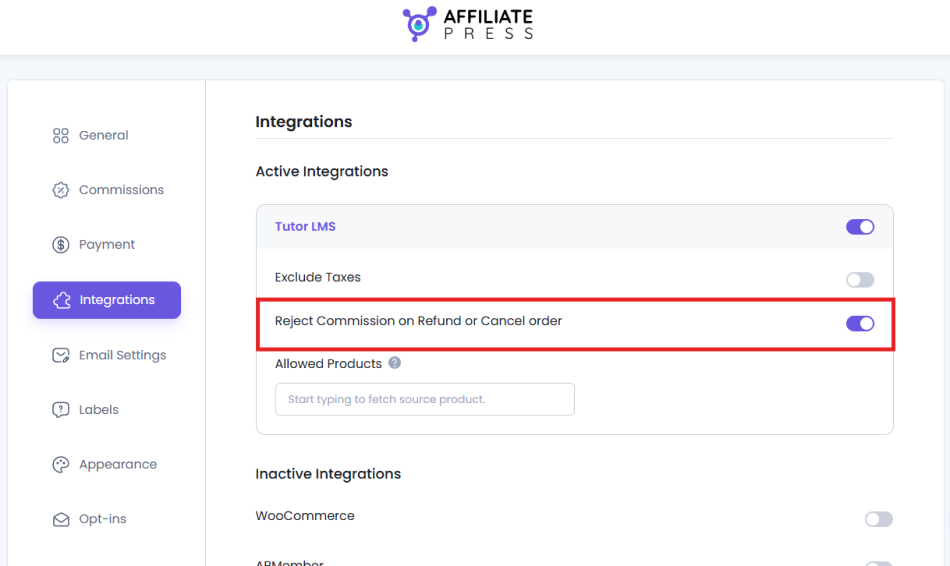
Reject Commissions When An Order Is Refunded Or Cancelled
Refunds matter quite a bit for course affiliate programs.
Without the right rule in place, you could end up approving a commission for a sale that is later refunded.
AffiliatePress can automatically reject the corresponding commission when a connected Tutor LMS order is cancelled, fully refunded, or partially refunded.
Approve Commissions When Orders Are Paid
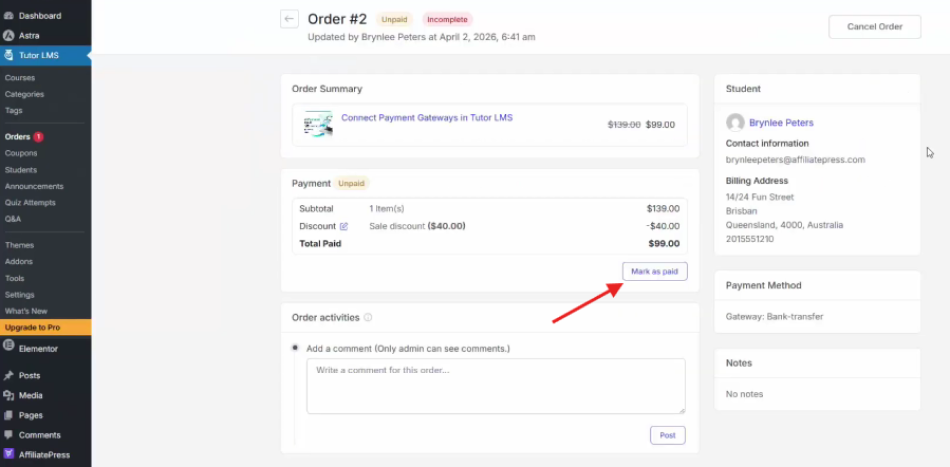
You can also configure AffiliatePress to approve the commission when the corresponding Tutor LMS order is marked as paid.
For this workflow, set Default Commission Status to “Dynamic – Upon Product Order Status” under AffiliatePress → Settings → Commissions.
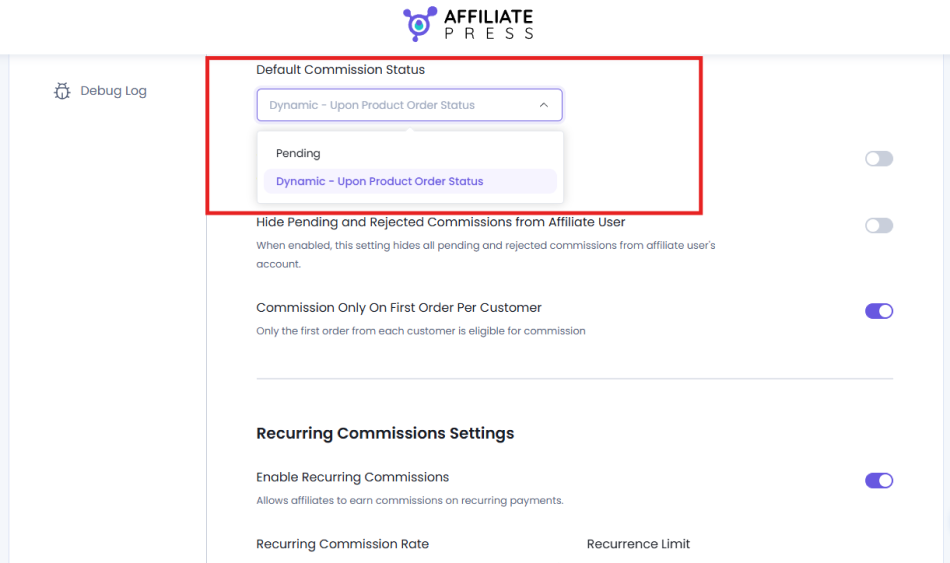
When a customer purchases a Tutor LMS course through an affiliate link, AffiliatePress initially creates the commission with a Pending status. After the payment is confirmed and you mark the order as paid from Tutor LMS Orders, AffiliatePress will automatically update the related commission from Pending to Approved.
A typical flow then looks like this:
Affiliate referral → Course purchase → Pending commission → Order marked as paid → Approved commission
If the learner later receives a refund and refund rejection is enabled, the related commission can move to Rejected.
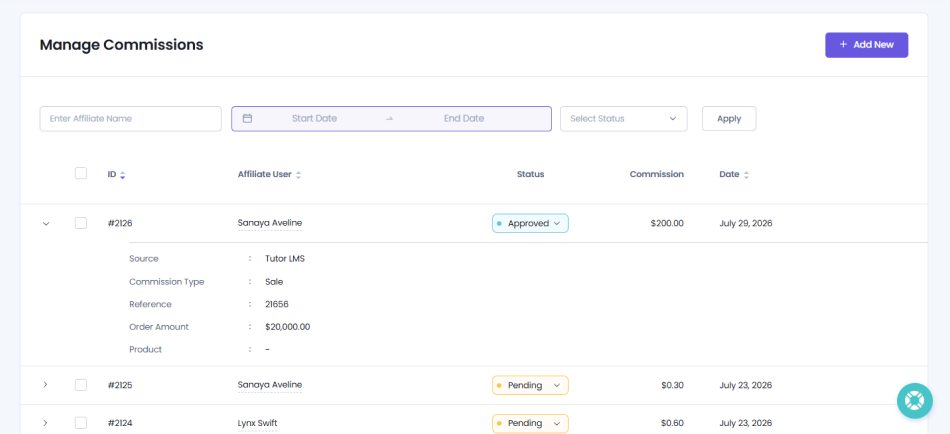
Once referrals start coming in, commissions generated from Tutor LMS purchases can be reviewed from the AffiliatePress commission area. The Source identifies Tutor LMS, while the Reference links the commission back to its corresponding order.
That makes it much easier to check what happened when you are reviewing a commission, refund, or payout later.
Step 4: Recruit Affiliates And Give Them Something To Work With
Installing everything does not automatically give you an affiliate program, since you’d still need affiliates.
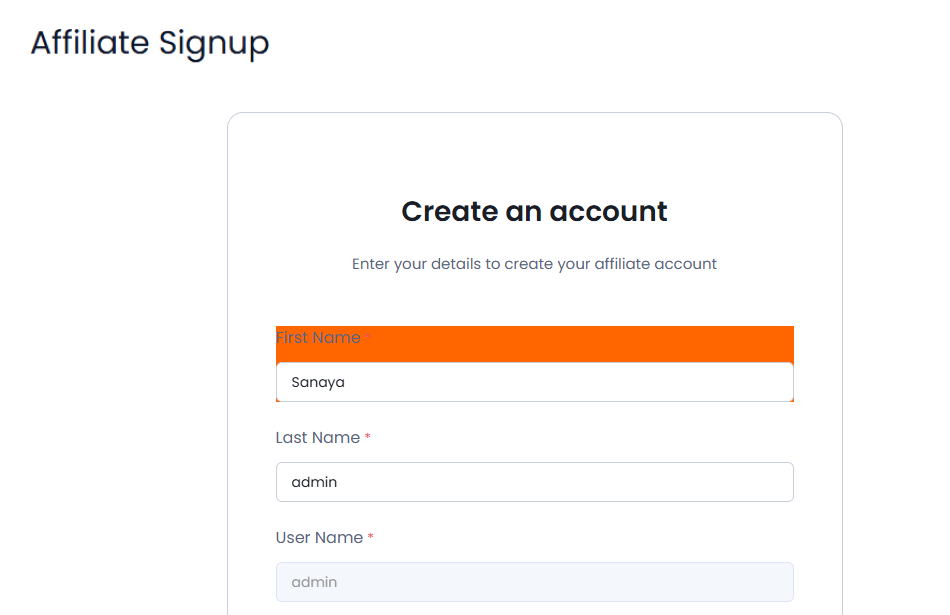
AffiliatePress creates an Affiliate Signup page and Affiliate Panel when activated, giving potential affiliates somewhere to register and existing affiliates somewhere to manage their activity.
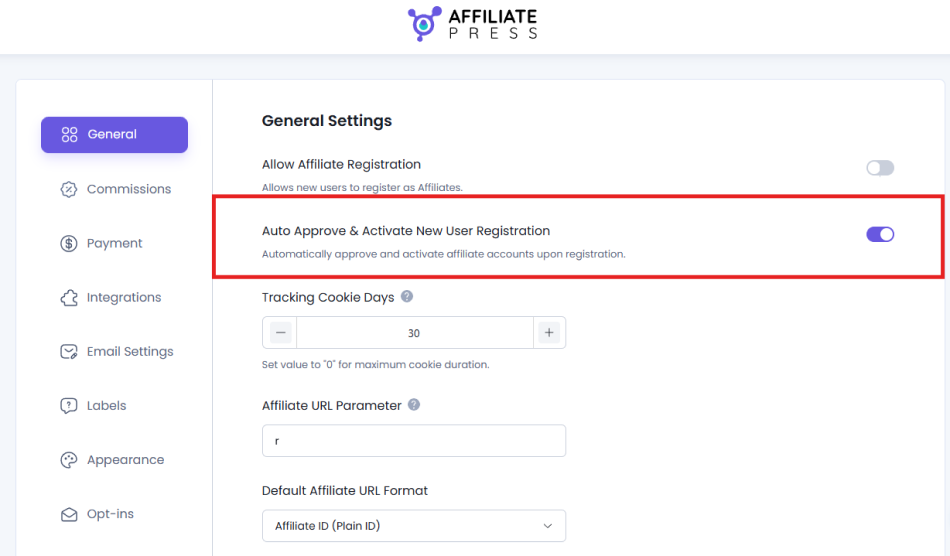
You can choose whether registrations are automatically approved or whether every applicant needs to be reviewed first.
For a new course affiliate program, manual approval can be useful. It gives you some control over who represents the course while you are still building the program.
When it comes to recruitment, start close to home by reaching out to learners who have already completed the course. Talk to instructors, collaborators, and creators you already know. Look for people whose existing audience overlaps with your ideal learner.
A smaller group of relevant affiliates is usually more useful than a huge list of accounts that never promote anything.
Once someone joins, make the next steps easy to follow.
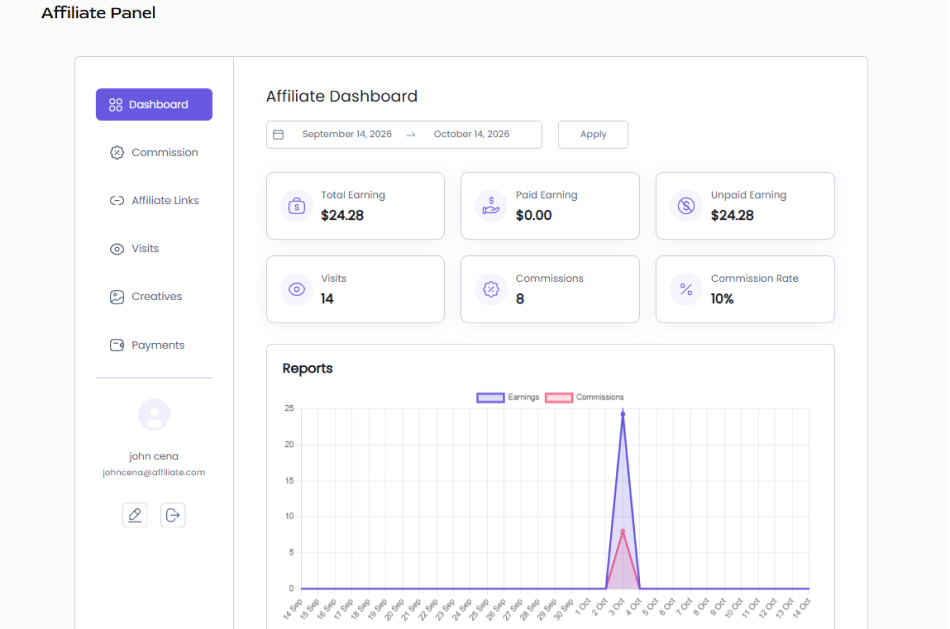
AffiliatePress gives affiliates a panel where they can access their referral information, performance data, commissions, visits, and promotional material.
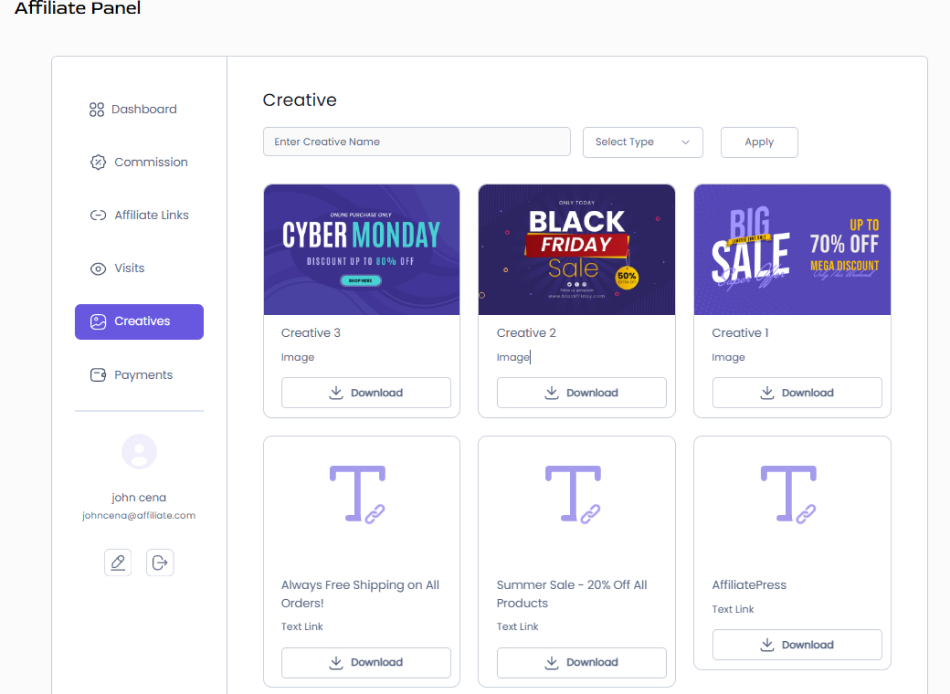
You can also upload creatives such as banners and text links so every affiliate is not starting from an empty folder and designing their own assets.
Think about the way each affiliate actually promotes.
A YouTuber may only need a referral URL and a short list of talking points. A blogger might want banners, product screenshots, and information they can reference in an article. Someone promoting the course during an offline event or workshop may get more value from an Affiliate QR Code.
Affiliate Landing Pages can also be useful when you want an affiliate to direct their audience toward a more tailored page instead of relying entirely on the site’s main course page.
The goal is not to give affiliates every promotional feature available. It is to remove the friction between joining the program and actually sharing your course.
Step 5: Stay On Top Of Payouts, Refunds, And Affiliate Quality
Once referrals begin turning into sales, the operational side becomes more important.
Affiliates want to know what they have earned, when they are getting paid, and whether their referrals are being tracked correctly.
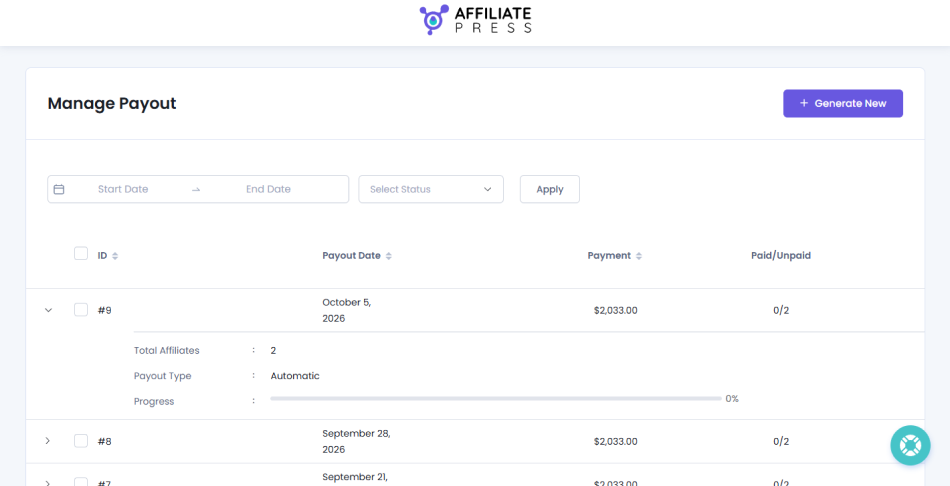
AffiliatePress lets you manage payouts from the WordPress dashboard and supports different payout workflows, including manual payouts as well as PayPal and Stripe options depending on your setup.
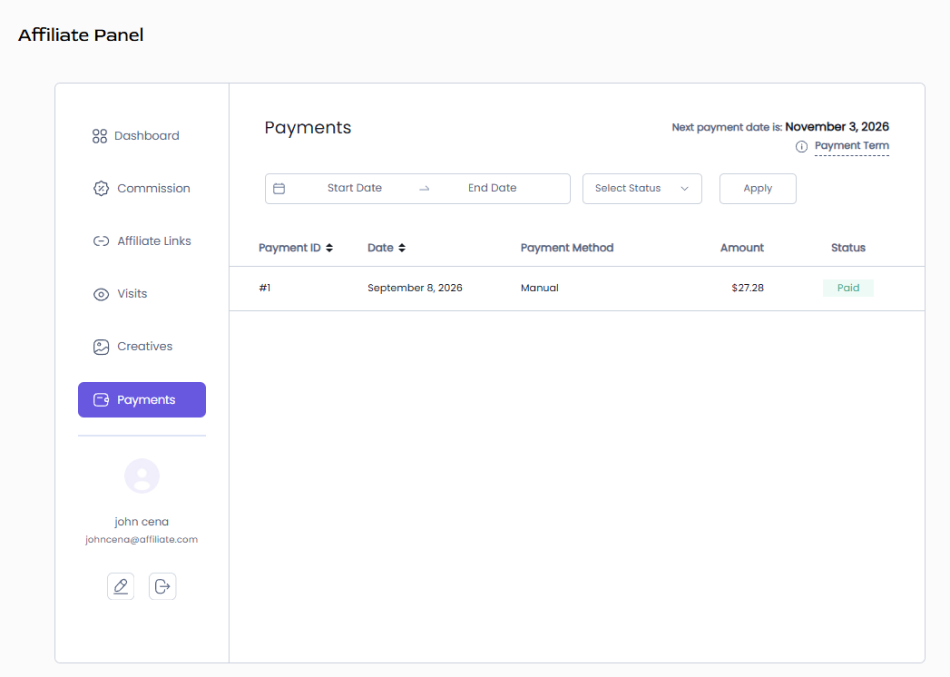
Affiliates can also review their own payment records, including payout amounts, dates, methods, and statuses.
It is worth defining your payout rules before the first commission is due.
For example:
- How often will affiliates be paid?
- Is there a minimum payout amount?
- Do commissions need to remain approved for a certain period before payment?
- How does your course refund period affect payout timing?
Leaving a little space between the original purchase and the affiliate payout can make refunds significantly easier to manage.
As the program becomes larger, fraud prevention becomes a growing concern to address.
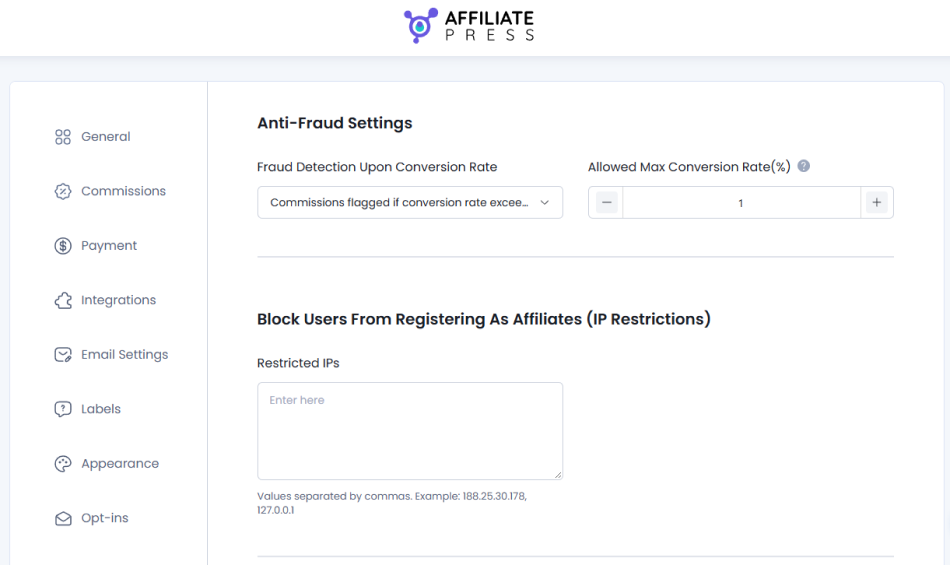
AffiliatePress includes fraud-protection tools for monitoring unusually high conversion rates and restricting suspicious IP addresses. You can separately control whether affiliates are allowed to earn commissions from purchases made through their own referral links under the Commission settings.
Finally, pay attention to who is consistently bringing in good referrals.
Those affiliates may be worth moving to a higher tier, rewarding with a performance bonus, or simply giving more attention and better promotional resources.
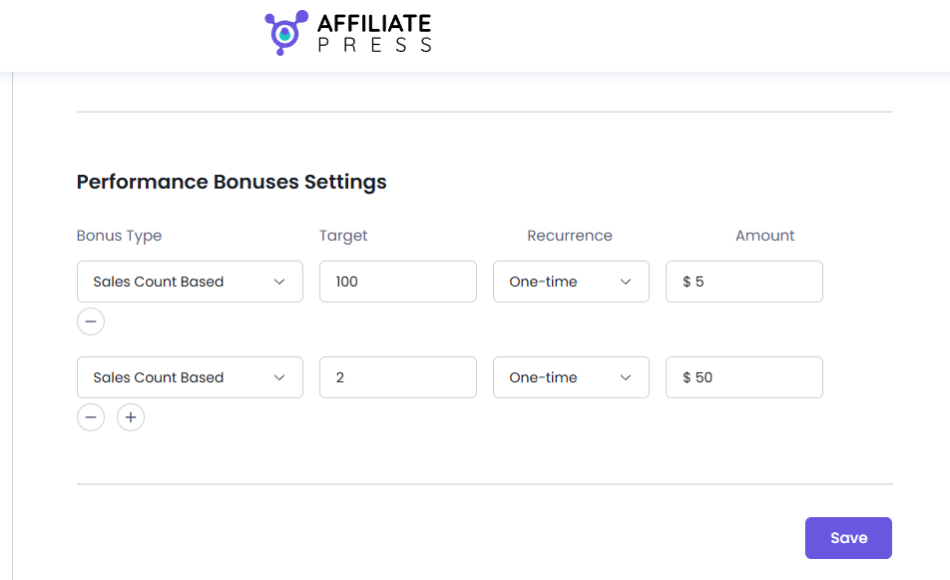
Note: The corresponding add-on needs to be activated first from AffiliatePress → Addons.
Turn Recommendations Into a Channel You Can Actually Track
A good affiliate program does not begin with installing another WordPress plugin.
It begins with having something people genuinely want to recommend.
From there, the process becomes much more practical: find people who already have credibility with your audience, give them a commission worth working for, make promotion easy, and keep commissions and payouts transparent.
If your academy already runs on a platform such as Tutor LMS, connecting it with an affiliate management system like AffiliatePress gives those referrals a structure behind the scenes.
Instead of recommendations happening randomly, you can see where sales are coming from, reward the people responsible for them, and gradually build a channel that becomes more valuable as the right affiliates stick around.
Related articles: