



How To Migrate Existing Affiliate Program to AffiliatePress Easily

February 6, 2026

- Why Use Automatic Migration to AffiliatePress?
- Which Plugins Can You Migrate from to AffiliatePress?
- What Affiliate Data Will be Migrated
- What You Need to Get Started
- How to Migrate Affiliate Data from My WordPress Plugin to AffiliatePress
- Step 1. Install and activate the Migration addon
- Step 2. Select the plugin to migrate from
- Step 3. Confirm the transfer
- Step 4. Wait till the process is successful
- Is Automatic Migration to AffiliatePress Free?
- Concluding: How to Migrate WordPress Affiliate Program to AffiliatePress
One of the ways to migrate the data of your affiliate management program to another WordPress environment is to do it manually. At least this is what some plugins offer. Definitely, not AffiliatePress!
We’ve made sure the transition is smooth and doable in a few automated settings.
If you are ready to move forward with your affiliate program on WordPress, powering it with unique marketing and technical features of the AffiliatePress plugin, here is where you start. Read on for a step-by-step process.
Why Use Automatic Migration to AffiliatePress?
Switching WordPress affiliate plugins can feel painful, but we aim to make it less so with a dedicated tool we’ve developed for AffiliatePress.
We know that you don’t want to lose affiliates, commission history, or carefully organized data just because you’re upgrading tools.
Automatic migration to AffiliatePress replaces the need for manually exporting CSV files, cleaning data, and re-importing everything (with plenty of room for error).
The process is focused on beginner-friendly setup, so this is what you get:
- No data loss.
- No complex setup.
- No downtime for your affiliates.
Which Plugins Can You Migrate from to AffiliatePress?
AffiliatePress includes built-in support for migrating data from several popular affiliate management plugins.
If you’re currently using one of the options below, moving to AffiliatePress is smooth and straightforward.
- ARMember Affiliate
- AffiliateWP
- Ultimate Affiliate Pro
- SliceWP
The AffiliatePress migration tool automatically detects the data from your existing plugin and transfers it into AffiliatePress without requiring manual exports or custom scripts.
What Affiliate Data Will be Migrated
The essentials you’ll need to deploy your affiliate program management with powered-up capabilities.
To be more precise, the Easy Migration Tool add-on by AffiliatePress can import:
- Affiliates (including registered affiliate accounts).
- Referral / Commission Data to keep track of your commission history.
- Affiliate Groups to keep your existing structure and segmentation.
So, you are getting the very foundation of your program without manual effort.
What You Need to Get Started
Before starting the migration process, there are just a couple of things to check:
- The AffiliatePress Pro plugin must be installed and active.
- You must have access to a premium AffiliatePress plan (activated with the license key).
- The AffiliatePress Easy Migration Tool addon is installed and activated. It will help you import data from supported affiliate plugins directly into AffiliatePress.
Once those are in place, the migration setup only takes a few minutes.
How to Migrate Affiliate Data from My WordPress Plugin to AffiliatePress
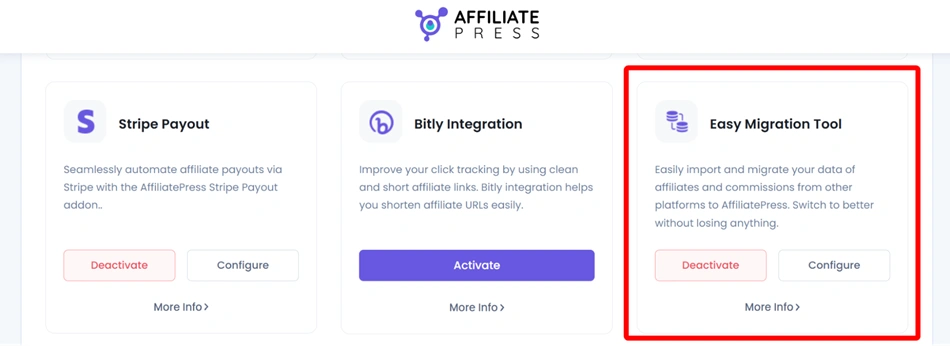
Step 1. Install and activate the Migration addon
Once the Migration Tool addon is active, you’ll see a new Migration tab inside AffiliatePress settings.
If you see the ‘Get’ button, you will need to log into your AffiliatePress account and download the add-on first, then install and activate it on your site.
Step 2. Select the plugin to migrate from
Inside the Migration tab of AffiliatePress settings, you’ll find migration options for each supported plugin. Simply choose the plugin you’re currently using:
- ARMember Affiliate (Click “Migrate Data from ARMember Affiliate”).
- AffiliateWP (Click “Migrate Data from AffiliateWP”).
- SliceWP (Click “Migrate Data from SliceWP”).
- Ultimate Affiliate Pro (Click “Migrate Data from Ultimate Affiliate Pro”).
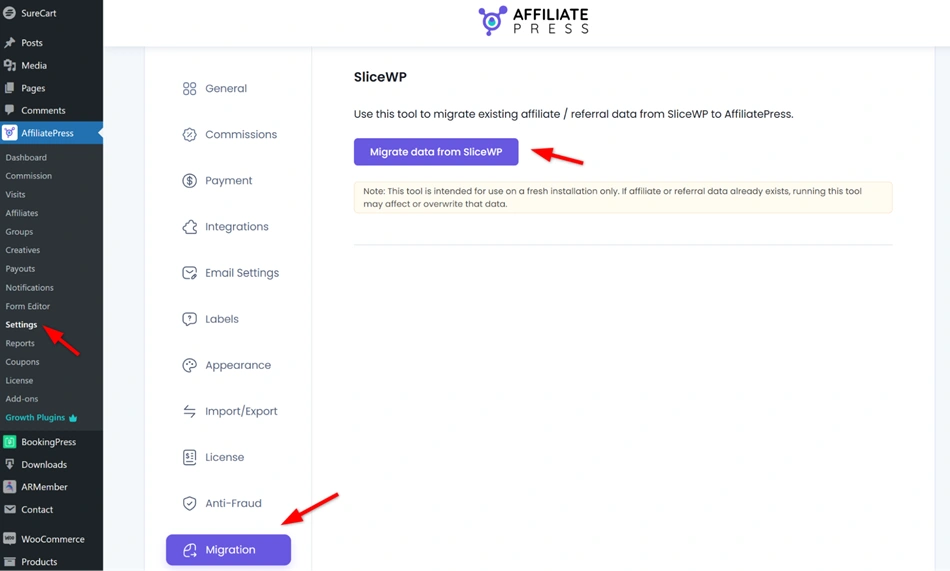
Each migration tool automatically detects existing data from the selected plugin and transfers it into AffiliatePress.
Step 3. Confirm the transfer
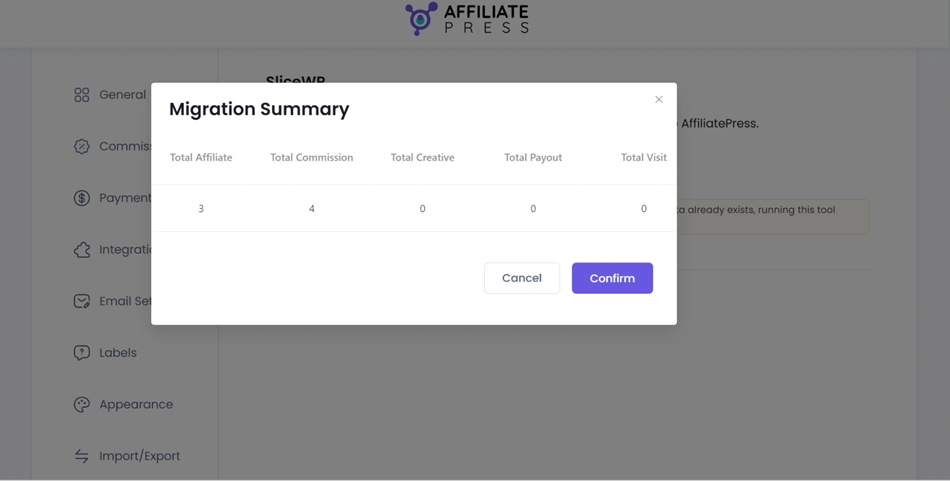
After uploading the data, you can view a migration summary before beginning the import. Verify that the data matches your uploaded file, then click the confirm button.
Step 4. Wait till the process is successful
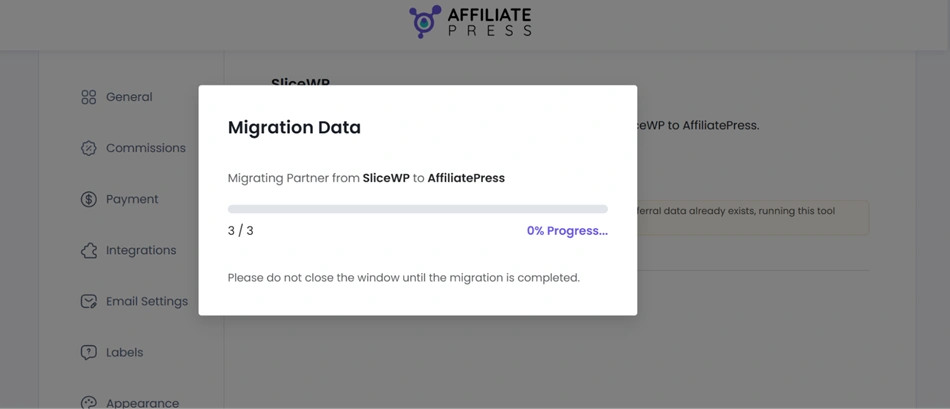
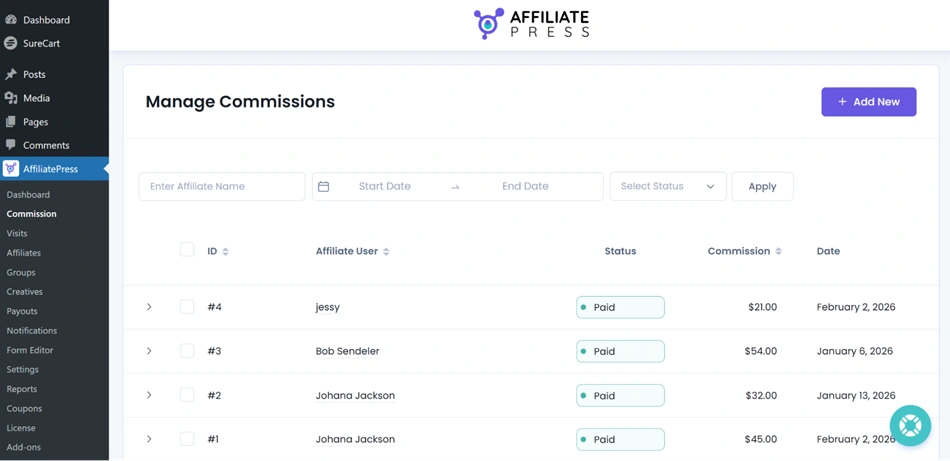
There’s no need to manually select tables or configure mappings. Once the process completes, your affiliate data will be available inside AffiliatePress and ready to use.
You’ve just installed AffiliatePress, but already got some commissions tracked!
Is Automatic Migration to AffiliatePress Free?
Yes, the migration feature is included for free with any AffiliatePress premium plan. That means you get full access to the Easy Migration Tool with:
- Standard Plan
- Professional Plan
- Enterprise Plan
No matter the size of your business or affiliate program, you can move your data without paying extra for migration services or add-on fees.
Concluding: How to Migrate WordPress Affiliate Program to AffiliatePress
It’s not the all-the-data migration, but it’s quick and safe for the essentials you need to restart your affiliate program on WordPress with AffiliatePress: affiliates, affiliate groups, and affiliate commissions.
To start using the migration feature:
- Make sure the AffiliatePress Pro plugin is active on your site.
- Go to AffiliatePress > Addons in your WordPress dashboard.
- Find the Migration Tool addon and click Activate.
- After activating the addon, go to WordPress > AffiliatePress > Settings.
- Click on the Migration tab. This is where you’ll manage and run all migration actions.
One of the biggest concerns when switching platforms is whether all your important data will come along. With the AffiliatePress Migration tool extension, however, you’re covered, with no extra cost.
Related articles: