



Most Important Affiliate Program Features For WooCommerce Store Owners


If you’ve been using the WooCommerce plugin to sell from your WordPress website and now want to connect an affiliate program to it, no worries! There are many options that allow you to do that. Luckily, many plugins integrate with WooCommerce because this is a top e-commerce plugin on the WordPress market, no surprise here.
But in this article, we are not going to assess which affiliate software or affiliate plugin features matter most, but rather which are truly important for your WooCommerce integration.
In simple words, let’s make sure that your WooCommerce-powered store can get the most out of the affiliate plugin that you choose. For example, how deep and flexible affiliate commissions can be attached to the products and product variations that you sell through WooCommerce? Can you exclude shipping or tax expenses from affiliate commissions, etc.? Are there features for digital/retailer sellers specifically?
There are many nuances when you want to know if the plugin you choose or software you like will work smoothly for your WooCommerce. Basically, in today’s article, we look at the most high-value WooCommerce affiliate program features in an affiliate program for store owners.
TL;DR: The most important affiliate program features for WooCommerce stores include automatic order tracking, flexible commission rates, product-level commission rules, coupon tracking, and automated payouts. Look for a plugin like AffiliatePress that includes all features above, plus also excludes shipping and taxes from commission calculations and automatically reverses unpaid commissions on refunded or failed orders to protect your revenue.
Features That Every WooCommerce Store Needs, Whether Digital or Physical Sellers
Before we get to the specialized WooCommerce affiliate program features , let’s firstly understand the top things that help you address financial and operational things on an everyday basis.
We’ll use the AffiliatePress plugin as a reference:
- Affiliate registration, approval, and account dashboards.
This is the foundation that you want to be fully digital and automated in your WooCommerce store.
This is where your potential partners begin their journey, go through it, onboard, and manage their resources for promoting your store products. For you, the process also becomes almost automatic.
- Referral links, coupons, and attribution tracking.
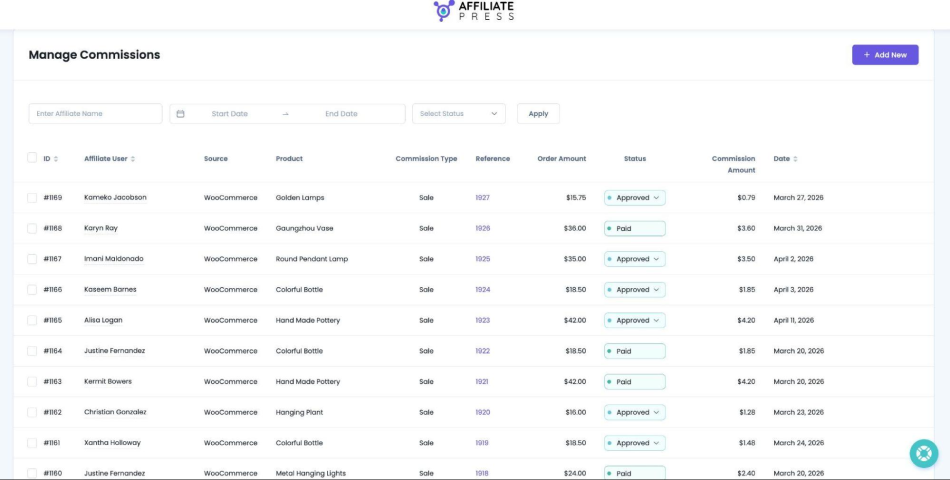
An affiliate program plugin should be perfect at tracking methods for the correct commission attribution. Simply said, the plugin must be very accurate at giving the right commission to the right person at the right moment – without hurting your revenue or analytics.
Basically, these things should work well without the relation to the e-commerce plugin that you use.
- Commission rates, including percentage-based and fixed commissions.
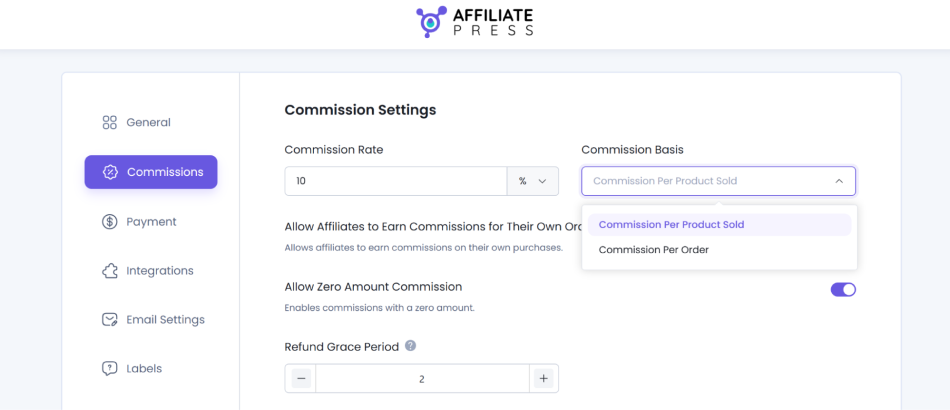
This is another fundamental feature you probably care about because it allows you to configure the pricing model for your entire affiliate program. Whether you want to offer percentage-based or fixed commissions for specific sales or products, AffiliatePress provides this flexibility for your WooCommerce store.
- Commission status management, payouts, and minimum payout thresholds.
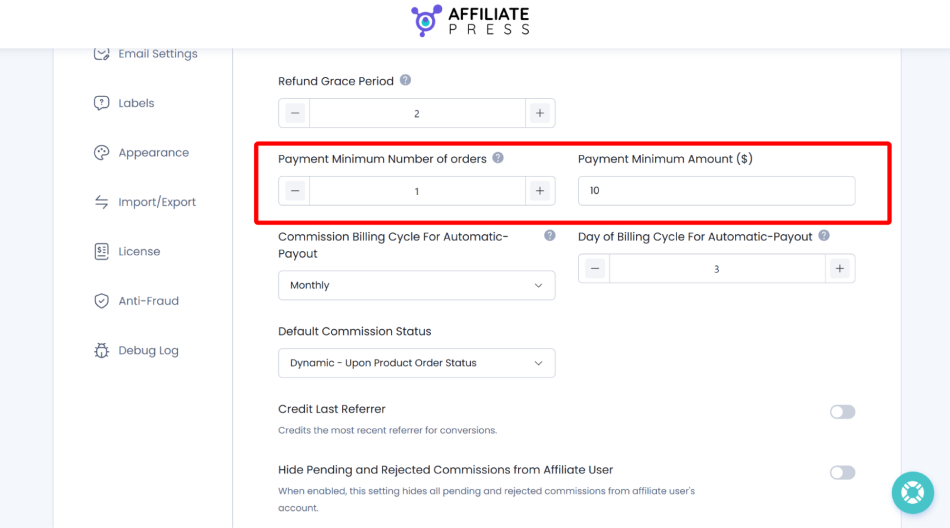
You want to be in control of your payouts, payout thresholds, and overall commission management, with automatic and manual options. You can have it all for your affiliate program on WooCommerce with AffiliatePress.
There are many options to set up your payouts to be on time and accurate. You may even have instant payouts with PayPal or Stripe, as well as pay many affiliates at the same time in one click. So, whether you want more manual control or trust the system to run more on autopilot, you can have it all with WooCommerce and AffiliatePress.
- Tracking clicks, conversions, and affiliate performance.
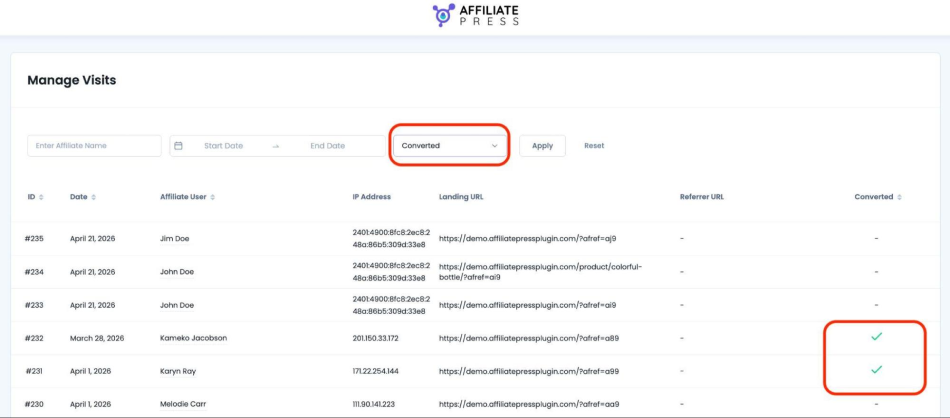
When you log into your WooCommerce store, you can navigate to your affiliate dashboard and see all the clicks, conversions, and affiliates who generated them.
Basically, you can track the performance of the best ones and see patterns, analyze what exactly converts, or even notice any anomalies to improve your collaboration with affiliates. So, with tools like AffiliatePress, you have a full-scale tracking dashboard alongside your Woo store in one account.
- Refund handling and commission reversals.
There should be a smooth way to handle refunds, one of the most problematic parts of any seller. You need to have an easy way to deal with disputes and include refunds calculations into your affiliate program payouts.
And What’s Most Important For WooCommerce Store Owners?
Let’s now change our focus from the general affiliate program features to more integration-specific; in our case, WooCommerce affiliate program features for WordPress stores.
To show real examples, we’ll use the AffiliatePress WooCommerce integration screenshots as well.
1. Automatic Commission Tracking From WooCommerce Orders
This is an essential thing for your store’s affiliate program.
The plugin integration with WooCommerce means you don’t have to manually match affiliate referrals against orders. This is the foundation of a usable affiliate program, whether a store sells software downloads, clothing, or drinks.
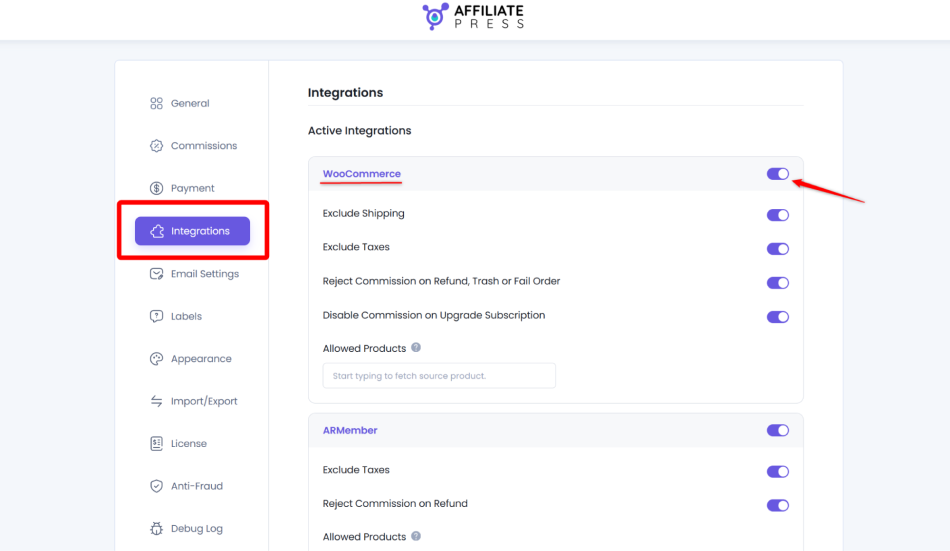
With the affiliate program plugins like AffiliatePress, you track referred purchases after WooCommerce is integrated, validates the order, and generates the affiliate commission.
2. Excluding Shipping And Taxes From Commission Calculations
If you are a physical retailer with shipping fees, or a store where tax is a significant part of the checkout total, this should be high on your list.
You should look for this high-value feature to protect your revenue because it allows you to avoid paying affiliates a percentage of money that is not your actual product revenue.
For example, AffiliatePress lets store owners exclude shipping charges and taxes from the commissionable amount.
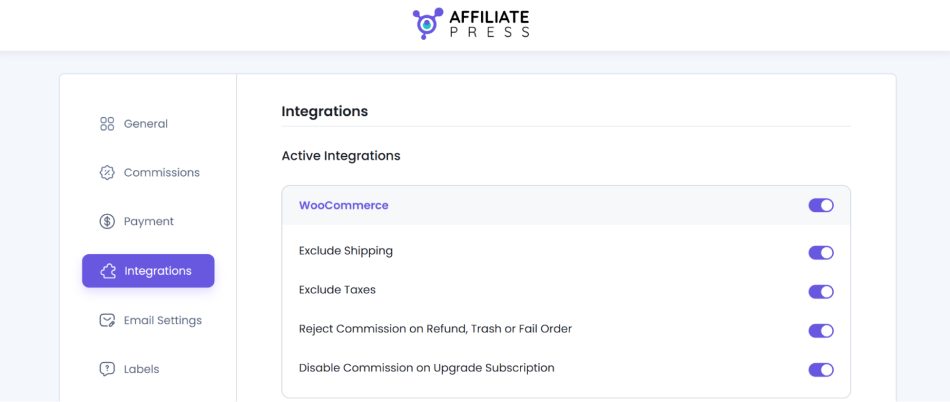
For example, suppose an order has $100 in products, $15 in shipping, and $18 in tax. With both exclusions enabled, a 10% commission would be $10 rather than $13.30.
3. Rejecting Commissions On Refunded, Failed, or Deleted Orders
This is an affiliate marketing feature that will save your WooCommerce store a ton of time: automatic rejection of unpaid commissions when an order is refunded, trashed, or marked as failed. AffiliatePress can do that, because an affiliate should not normally earn a commission on such sales (applies to commissions that have not yet been paid).
It often matters to both physical retailers who may face returns and partial refunds and digital businesses who may issue refunds or experience failed payments.
4. Controlling Which Products Generate Commissions
If your WooCommerce products are a huge catalog, or you have really varying profit margins, you want to be flexible with products you want to generate commissions. We think this applies to both physical and digital stores.
You can basically exclude products that are already discounted from affiliate commissions, or limit any other products from affiliate rewards. You should have control over this process. So how is this done in practice?
For example, AffiliatePress has two dedicated features:
- First, disable commissions on individual WooCommerce products, which means exclude products from affiliate earnings.
- Second, the Product Selection add-on that allows commissions only on manually selected products.
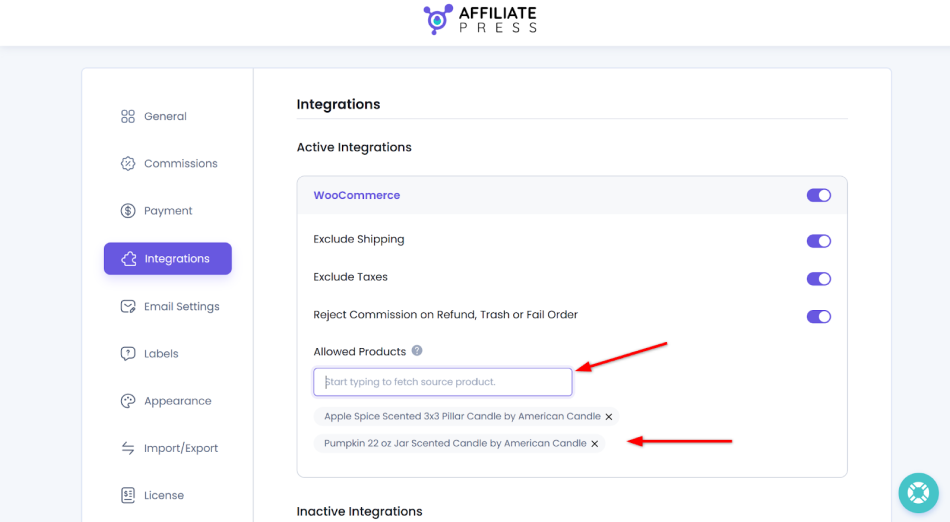
The first option is an exclusion rule, and the second allows you to create a whitelist of eligibility.
5. Affiliate Coupon Code Tracking
No-link click commission attribution is a very popular method with both store owners and partners.
AffiliatePress supports attribution through WooCommerce coupon codes via its Coupon Code add-on. A customer can use an affiliate’s assigned code, receive the discount, which will create a clear commission for the associated affiliate.
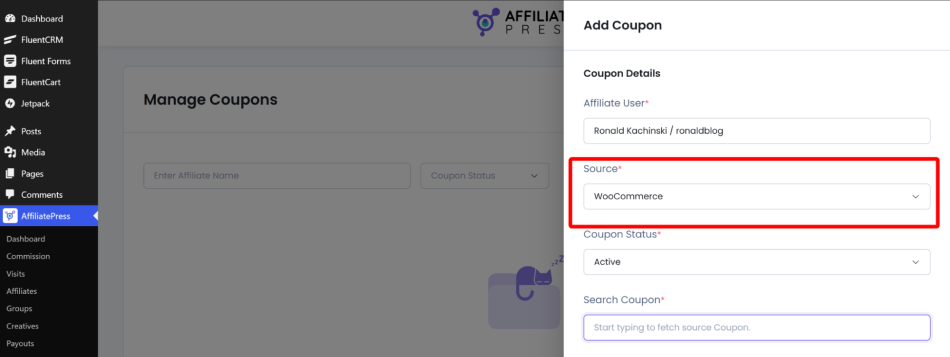
When working with creators, influencers, deal websites, or email marketers, this method will be one of the most loved ones.
6. Product-Specific Commission Rates
Probably the best affiliate program feature for WooCommerce stores is the flexibility of setting different commission rates based on specific products. This opens up a big growth opportunity for any business.
Such a feature allows you to set up higher rewards on new products, lower rates on already popular products, and overall differentiate your incentives based on what you sell, of course.
In AffiliatePress, this is also doable, but with the help of the Product-wise commission add-on that creates the space for different commission rates for individual WooCommerce products.
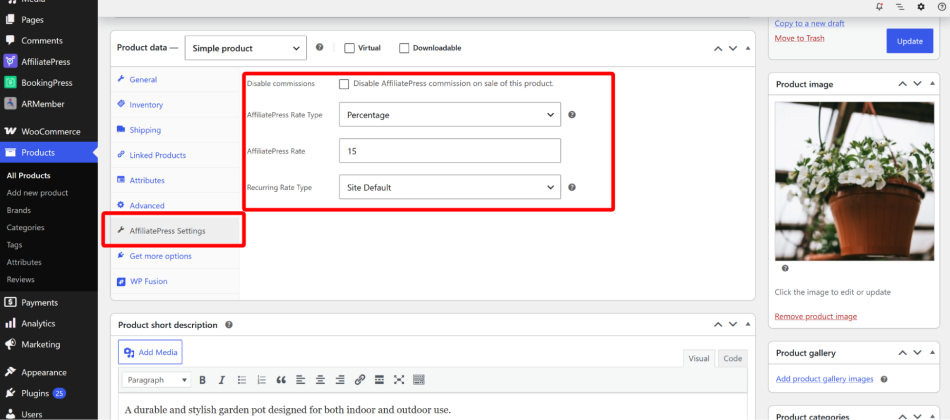
May be great for any software-selling companies as well as retailers, and anyone who has a varying product lineup.
Concluding: What Are Most Important WooCommerce Affiliate Program Features For Store Owners?
The most important job an affiliate program can do is to integrate smoothly with your already established WooCommerce store workflows and sales processes, so that you can run your promotions, flexible commission prices, and other activities without much tinkering and configuration.
With AffiliatePress, when you install a plugin to build an affiliate program on WordPress and connect it to your WooCommerce store, they already start playing nicely from the installation step. Then you only need to set up your preferences and see how your workflows start working together.
With AffiliatePress, you get flexible commission settings based on products; can include and exclude products from the program, exclude shipping and taxes details, etc. So you get full flexibility, powerful default settings, and tracking options for all your links and coupon codes through AffiliatePress.
So, you get two systems smoothly integrated, helping your WooCommerce store sell more.
Related articles:


