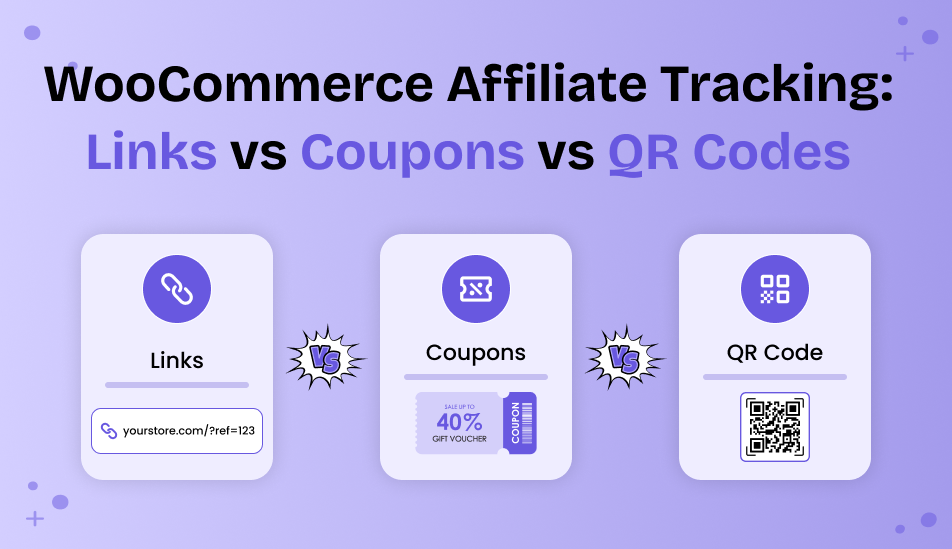
WooCommerce Affiliate Tracking: Links vs Coupons vs QR Codes

What is the best way to track affiliate sales in WooCommerce?
If you’re paying affiliates for sending customers to your store, you need more than a referral link and a hope that everything gets recorded correctly. You must know:
- Who referred the customer
- Which promotion they used
- Whether that referral resulted in a sale
That’s exactly why choosing the right WooCommerce affiliate tracking method matters.
With the right WordPress affiliate plugin, you can track affiliate sales in several ways. Affiliate links are the standard choice for online promotions, coupon codes can connect purchases to individual affiliates and QR codes make it possible to track referrals from offline campaigns.
But these methods don’t work exactly the same way, and the best option depends on how your affiliates promote your store.
So, affiliate links, coupon tracking, or QR codes: which should you use? Let’s compare all three, look at their strengths and limitations, and decide when each WooCommerce affiliate tracking method makes the most sense for an affiliate program.
TL;DR: Affiliate links are the best default for WooCommerce affiliate tracking, while coupon codes work well for influencers and QR codes are right-fit for offline campaigns. You can also combine all three to track referrals across different promotional channels.
What Is WooCommerce Affiliate Tracking?

WooCommerce affiliate tracking is the process of recognizing which affiliate referred a customer to your store and whether that referral resulted in a sale.
Thus if you’re running a WooCommerce affiliate program, this is the part you need to get right. Your affiliates may promote your products via blog posts, YouTube videos, social media, emails or even offline campaigns. And when someone buys your product thanks to that affiliate, you need a reliable way to connect that sale back to the affiliate who referred them.
The basic process looks like this:
Affiliate promotes your product → Customer visits my WooCommerce store → Customer makes a purchase → Affiliate tracking recognizes the referral → Commission is assigned to the affiliate
Thus without proper affiliate tracking, you have no reliable way to know which affiliate deserves credit for a sale.
That’s where different tracking methods come in. Depending on how your affiliates promote your products, you can use affiliate links, coupon codes or QR codes top track referrals and sales.
With a WordPress affiliate plugin like AffiliatePress, you can use these different methods within the same affiliate program rather than relying on just one way to track every referral.
Yet before picking a WooCommerce affiliate tracking method, it helps to understand how each one actually tracks an affiliate sale.
Quick Answer: Which Affiliate Tracking Method Is Best For WooCommerce?

If I had to choose one WooCommerce affiliate tracking method to start with, I’d go with affiliate link tracking. It’s the most simple option for tracking online referrals and works well for bloggers, website owners, YouTubers and other affiliates who promote products online.
But that doesn’t mean affiliate links are the only method I’d use.
Coupon tracking is useful when you’re working with influencers, creators or affiliates who promote products via social media and other promotional channels. A customer can enter an affiliate’s coupon code at checkout which makes it easier to connect the sale to that affiliate.
QR code tracking makes more sense when affiliates promote your products offline. For example, an affiliate could place a QR code on a flyer, poster, business card, or event material and send people directly to my store.
Here’s how I’d look at the three methods:
| Tracking Method | Best For | Main Benefit | Best Use Case |
| Affiliate Links | Bloggers, websites, YouTubers, email marketers. | Simple online referral tracking | Content and website promotions. |
| Coupon Codes | Influencers, creators, promotional campaigns. | Easy for customers to remember and use | Social media and promotional campaigns. |
| QR Codes | Event promoters and offline affiliates. | Connects offline promotions to online sales. | Events, flyers, posters, and printed materials. |
So if I’m starting a WooCommerce affiliate program from scratch, affiliate links would be my default choice. I’d add coupon tracking when my affiliates rely heavily on promotional codes, and I’d use QR code tracking when I have affiliates promoting my products offline.
The good thing is that I don’t necessarily have to choose just one. I can use different WooCommerce affiliate tracking methods for different types of affiliates and campaigns thanks to WooCommerce affiliate plugins like AffiliatePress.
This affiliate marketing plugin smoothly integrates with WooCommerce, and tracks affiliate sales in real time via referral link, QR code, Coupon code and affiliate landing page.
Affiliate Link Tracking: The Obvious Starting Point

If you’re running a WooCommerce affiliate program, affiliate link tracking is where you should start.
As someone who helped multiple WooCommerce stores getting started in their affiliate marketing journey, I can say with confidence that affiliate links are:
- Simple for affiliates to use
- Easy for customers to follow
- Works well when affiliates are promoting your products online
The basic idea is simple. You give each affiliate a unique referral link, and they use that link when promoting your products. Thus whenever someone clicks the link and later buys any of your product, your WooCommerce affiliate tracking system can connect that referral to the sale and calculate the commission.
For instance let’s say an affiliate shares a product via a blog post, YouTube description, email or social media profile. Instead of sending customers to a regular product URL, they share their unique affiliate link.
Affiliate link → Customer visits my store → Customer purchases → Sale is attributed to the affiliate → Commission is recorded
This makes link tracking a good fit for affiliates who already have an online audience.
Where Can You Use Affiliate Link Tracking?
You can use affiliate links when your affiliates promote my products through channels such as:
- Blog posts and product reviews
- YouTube videos and descriptions
- Websites and resource pages
- Email newsletters
- Social media posts
- Online communities
AffiliatePress, a complete WooCommerce affiliate plugin, lest each of your affiliates can have a unique referral URL that they can use to promote your WooCommerce products. You can also set up things such as cookie duration to decide how long a referral remains trackable after someone clicks an affiliate link.
Best of all, this affiliate plugin also supports customizable referral URLs, so you can create cleaner looking affiliate links rather than always relying on long URLs with tracking parameters.
Why Would I Choose Affiliate Links First?
The biggest advantage is simplicity. No need to create a separate coupon code for every affiliate or prepare anything for an offline campaign. Just give the affiliate their own affiliate link and they can start promoting it.
The best part? No link hand-holding needed. AffiliatePress automatically generates a unique referral link for every affiliate, so they can grab theirs straight from their affiliate panel. Set it once, and let AffiliatePress handle the rest.
Apart from that, it gives affiliates flexibility. A blogger can place the link inside an article, while a YouTuber can add it to a video description. The same tracking method works across different online channels.
That’s why I’d consider affiliate link tracking the default WooCommerce affiliate tracking method for most online affiliate programs.
However, there is one limitation: the customer actually needs to use the affiliate’s referral link for the referral to be tracked via that link. If an affiliate mainly promotes products using social media like TikTok or other channels where customers may not always click a link, think of adding coupon tracking as well.
And that’s where the next method becomes useful.
Coupon Tracking: One I Wouldn’t Skip

If you’re working with influencers, content creators or affiliates who promote your products via social media platforms like TikTok, coupon tracking is something you wouldn’t wanna skip.
The idea is simple here too. You assign a unique coupon code to an affiliate, and the customer uses that code when placing an order. The purchase can then be connected to the affiliate who owns that coupon code.
For example, suppose you’re working with an Instagram creator named Sanaya. You could give her a coupon code like SANAYA10. She can share it with her audience(loyal followers) along with the products she’s promoting. When a customer(One of her followers) uses that code at checkout, you can easily recognize Sanaya as the affiliate associated with the sale.
This becomes useful when customers remember a coupon code more easily than they remember to click an affiliate link. Besides, it has better chances of making a sale because who doesn’t love a good discount?
Why Would You Use Coupon Tracking?
The biggest advantage is that the customer doesn’t necessarily have to follow the affiliate link at the time of purchase. Instead, they can simply type in the affiliate’s coupon code during checkout.
That makes coupon tracking a practical option for affiliates who promote products through:
- Instagram and other social platforms
- YouTube videos
- Influencer campaigns
- Podcasts
- Promotional content
- Email campaigns
Using AffiliatePress, you can connect WooCommerce coupon codes with specific affiliates and use those codes to track referred purchases.
I also like coupon tracking because it can combine affiliate attribution with a customer incentive. Instead of simply telling someone to visit this store, an affiliate can say something like, “Use code SANAYA10 to get 10% off.” The customer gets a reason to buy, while you can still attribute the sale to the affiliate – a clear win-win for everyone involved
That said, replacing affiliate links with coupon codes completely is something I wouldn’t recommend. For bloggers and website owners, referral links are still the more natural tracking method. Thus I’d use coupon tracking as a complementary method, especially when working with influencers and promotional affiliates.
QR Code Tracking: Great, But More Niche

QR code tracking for WooCommerce is a little different. I wouldn’t make it my first choice for a typical online WooCommerce affiliate program, but it becomes useful when your affiliates promote your products offline.
Think about a situation where an affiliate is promoting your products at an event. They could put a QR code on a flyer, poster, business card, brochure or booth display. Someone scans it with their phone, lands on your store via the affiliate’s referral URL, and can make a purchase.
The flow looks something like this:
QR code → Affiliate referral URL → WooCommerce store → Customer purchases → Affiliate gets credit
Thanks to AffiliatePress QR codes, you can smoothly bridge offline and online campaigns. This WooCommerce affiliate tracking plugin lets you set up unique QR codes for your partners to track every WooCommerce sale. And the best part is you get no extra work on your plate. Affiliates can generate and download their own QR codes from their personal affiliate panel.
When Would You Use QR Code Tracking?
Consider QR codes when your affiliates are promoting my products through:
- Events and conferences
- Flyers and posters
- Business cards
- Printed brochures
- Product packaging
- Physical promotional materials
- In-person marketing campaigns
For example, if you have an affiliate promoting your WooCommerce products at a local event, handing someone a long referral URL is simply not just practical.
A QR code is much easier: they can scan it and continue to the store within a second.
One thing I’d like for you to keep in mind, though, is that a QR code isn’t really replacing affiliate link tracking. It’s another way for a customer to access an affiliate’s referral link.
So if most of your affiliate (or even 1/3rd) promotions happen online, no need to go for QR codes. But if you’re working with affiliates who promote your products both online and offline, QR codes can fill that gap nicely.
That’s why we’d consider QR code tracking a specialized option rather than a default WooCommerce affiliate tracking method.
Links vs Coupons vs QR Codes: Which Should You Choose?
Now that we’ve looked at each WooCommerce affiliate tracking method separately, the real question is which one should you actually use?
The answer depends mainly on how your affiliates promote your products and how customers interact with those promotions.
Thus here’s a quick comparison:
| Tracking Method | Affiliate Links | Coupon Codes | QR Codes |
| Best For | Bloggers, website owners, YouTubers, email marketers. | Influencers, creators, social media affiliates | Offline affiliates and event promoters |
| Main Advantage | Simple and reliable online referral tracking. | Customers can enter a memorable code at checkout | Connects offline promotions to online sales |
| Main Limitation | Customer needs to use the referral link. | Customers need to remember and use the code | Less useful for purely digital campaigns |
| Ideal Use Case | Blog posts, websites, YouTube, email. | Instagram, TikTok, YouTube, influencer campaigns | Events, flyers, posters, brochures |
| How It Works | Customer clicks a unique affiliate URL before purchasing. | Customer enters an affiliate’s unique code at checkout | Customer scans a unique QR code before purchasing |
| Customer Effort | Low; click the link and shop. | Medium; remember and enter the code | Low; scan the QR code |
| Works Online | ✅ Excellent. | ✅ Excellent. | ✅ Yes. |
| Works Offline | ❌ Limited. | ✅ Yes, if customers remember the code. | ✅ Excellent. |
| Tracking Accuracy | High. | High when codes are used correctly. | High. |
| Easy to Share | ✅ Very easy. | ✅ Very easy. | ✅ Easy to print and display. |
| Best Promotion Channels | Websites, blogs, email, YouTube. | Social media, videos, podcasts, influencers. | Events, print ads, packaging, flyers. |
| Ideal Affiliate Type | Content creators and publishers. | Influencers and brand ambassadors | Local promoters and event affiliates. |
| Purchase Attribution | Based on the affiliate referral link. | Based on the coupon code used. | Based on the QR code scanned |
| Memorability | Depends on the URL. | Easy with a short, branded code. | Easy when displayed as a visual code. |
| Setup Difficulty | Easy | Easy | Easy |
| Best Overall Use | Digital affiliate marketing. | Influencer and social media campaigns. | Offline-to-online affiliate marketing. |
Which WooCommerce Affiliate Tracking Method Is Best Overall?
For most WooCommerce stores, I’d recommend this approach:
Start with affiliate links → add coupon tracking for influencers → use QR codes for offline campaigns
That gives you a tracking strategy that covers different affiliate promotion styles without forcing every affiliate to use the same method.
If you’re running an affiliate program with bloggers, creators, influencers, and offline partners at the same time, using multiple tracking methods can actually make your program easier to manage.
And this is where a WooCommerce affiliate plugin like AffiliatePress becomes useful. You can use referral links, coupon codes and QR codes within the same affiliate program. No need to build separate WooCommerce affiliate tracking systems.
Final Thought: Can You Use Affiliate Links, Coupons, And QR Codes Together?
Yes. And in many cases, using all three together is a better approach than choosing only one.
Think of each method as solving a different attribution problem.
Affiliate links help you track customers coming from websites, blogs, videos and other online content.
Coupon codes help you connect purchases to affiliates when customers may not click a referral link but still remember and use the affiliate’s promotional code.
QR codes help you bring offline campaigns into your WooCommerce affiliate program by sending customers directly to an affiliate’s referral URL.
So rather than asking, “Which tracking method should I use?” I’d ask:
“How are my affiliates promoting my products?”
If most of your traffic comes from online content, make affiliate links your foundation.
If you’re working with influencers who regularly share discount codes, add coupon tracking.
And when affiliates promote your products at events, on printed materials, or through other offline campaigns, QR code tracking can bridge the gap between offline promotion and online sales.
With a WooCommerce affiliate plugin like AffiliatePress, you don’t necessarily have to choose one tracking method for your entire program. You can use the method that fits each affiliate, campaign, and promotional channel.
That gives you a more flexible WooCommerce affiliate tracking strategy, and, more importantly, a better chance of correctly connecting referrals to sales and commissions.
Related Articles: