



7 Best WordPress Email Marketing Plugins Compared (2026)


Email marketing is a great way to build real, long-term relationships with your audience. When someone joins your email list, it shows they’re actually interested to hear from you.
The best part? Email is a direct line. It goes straight into their personal inbox, making it easy to earn trust over time. No algorithm games. Just direct conversations.
As a growth marketer, I’ve tried plenty of email marketing tools and solutions for our WordPress websites. Along the way, I’ve figured out which ones actually work (and which ones aren’t worth the hassle).
I created this guide to save you the trial and error of finding a WordPress email marketing plugin that meets your needs and works well with your site.
Note: This comparison guide was reviewed on October 27, 2026 using current search results, official WordPress.org listings, and vendor pricing pages.
TL;DR: After testing tons of popular WordPress email marketing plugins, MailPoet is the best option for managing newsletters, FluentCRM is great for creating automated drip campaigns and The Newsletter Plugin is another option worth considering for publishing a newsletter.
7 Best WordPress Email Marketing Plugins At a Glance
Short on time? Below is a quick comparison of all the 7 best email marketing plugins for WordPresss.
| Rank | Plugin | Best For | Skip It If | Free Version | Starting Price |
| 1 | MailPoet | Managing newsletters inside WordPress | You need complex, multi-branch marketing automation | Yes, up to 1,000 subscribers | $10/month |
| 2 | FluentCRM | Self-hosted email marketing and automation | You don’t want to manage email delivery and hosting | Yes, limited | $90/year |
| 3 | The Newsletter Plugin | WordPress-native newsletter publishing | You want a fully managed cloud platform with minimal setup | Yes, unlimited subscribers and newsletters | $69 for 1 site |
| 4 | Brevo | Email and multichannel marketing | You need a fully WordPress-native marketing system | Yes, unlimited contacts and 9,000 emails/month (300/day limit) | $9/month |
| 5 | Mailchimp | Broad marketing integrations and audience management | You want to manage all campaigns directly inside WordPress | Yes, up to 250 contacts and 500 email sends/month | $13/month |
| 6 | Hostinger Reach | AI-assisted email campaign creation | You need advanced automation on the free plan | Yes, free for one year; up to 100 unique recipients and 200 emails/month | $1.74/month (introductory rate) |
| 7 | MailMint | WordPress-based email marketing and WooCommerce automation | You don’t want to manage hosting and email delivery | Yes, unlimited contacts and campaigns (according to the developer) | $149.99/year |
What Is the Difference Between WordPress Email Marketing Plugins And Email Delivery Plugins?
WordPress email marketing plugins manage your audience and messages (who gets an email, what it says and when it goes out). Meanwhile, email delivery (SMTP) plugins for WordPress manages your plumbing and authentication, making sure the email actually leaves your server and avoids spam folders.
Not to be confused, for this guide, I’ll be sharing the best WordPress email marketing plugins for 2026.
Still wondering what’s the difference? Let’s dig a little deeper:
WordPress-Native Email Marketing Plugins
These WordPress email plugins like FluentCRM and MailPoet store your subscribers lists directly inside your own WordPress database. You just build, schedule and send newsletters or automations.
The catch of using these email marketing plugins? Because they run on your host’s server, sending a large volume of emails can slow down your website’s speed or get blocked by your web hosts. However, since subscribers trust you with their data, it’s better to keep it on your own server, rather than trusting a third-party email marketing platform.
Email Marketing Platforms With WordPress Integrations
These email marketing platforms like Mailchimp and Brevo keep your subscriber data and build your campaigns on external cloud servers, not inside WordPress. Your WordPress site just acts as a bridge via their plugins to collect signups (like contact forms or WooCommerce checkouts) and push them to the platforms.
The downside? Your subscriber data is out of your own servers (But since the WordPress email platforms we mentioned below are trusted names – I guess there won’t be a big problem).
SMTP Plugins For WordPress Email Delivery
What these WordPress email plugins do is simply replacing the WordPress’s broken default mail function, and connect your site to a trusted external mail sender like Amazon SES, SendGrid, or more, using proper security checks so emails don’t end up in your subscriber’s spam folder next morning.
Remember, they can’t design a newsletter, store a subscriber list, or run marketing campaigns. They only handle system emails like password resets, new user signups and WooCommerce order receipts.
One of the best (and popular) examples for this kind of WordPress email plugins are WP Mail SMTP and FluentSMTP.
When Do You Need Both An Email Marketing Plugin And An SMTP Plugin?
You need both a marketing plugin (or a third-party service) and an SMTP plugin under two main conditions:
- You use a WordPress-native marketing plugin
- You want reliable transactional emails
Sure, if you want to manage your complete email marketing campaign with reliable transactional emails, using both makes sounds perfect. However, as I said before, for this guide, I’ll discuss only the best WordPress email marketing plugins.
How I Evaluated These WordPress Email Marketing Tools
I’ve scored and ranked these all best email marketing tools for WordPress based on key factors such as:
- Production quality
- Cross-client reviews and ratings on WordPress.org and reddit
- Email campaign creation and editing
- Ease of use, documentation and support
- Contact management and segmentation
- Automation and WordPress integrations
- Deliverability controls
- Overall cost for a growing business site
As an email marketer, I weighted these factors according to their importance to a growing business website, giving more weight to the capabilities that directly affect email marketing workflows and long term usability. Here’s my evaluation criteria score breakdown.
My Evaluation Scorecard
| Evaluation factor | Weight | What I assessed |
| Product quality and maturity | 10 points | Feature completeness, reliability, maintenance, documentation quality and suitability for business use.. |
| User reviews and ratings | 10 points | WordPress.org reviews where available, independent user feedback, recurring complaints and reported support experiences. |
| Email campaign creation and editing | 15 points | Campaign editor, templates, personalization, preview options and ease of creating professional emails. |
| Ease of use, documentation and support | 10 points | Setup complexity, learning curve, clarity of documentation or troubleshooting resources and support. |
| Contact management and segmentation | 15 points | Subscriber organization, tags, lists, segmentation rules, consent management and unsubscribe handling. |
| Automation and WordPress integrations | 15 points | Automated workflows, signup triggers, ecommerce events, third-party integrations and synchronization capabilities. |
| Email deliverability controls | 15 points | Sending configuration, authentication guidance, bounce handling, suppression management, and delivery monitoring |
| Total cost for a growing business | 10 points | Free-plan limits, paid-plan pricing, subscriber or sending limits, premium add-ons, and additional operating costs |
| Total | 100 points | – |
My Score Breakdown For All WordPress Email Plugins
| Email Marketing Tool | Campaigns (15) | Contacts (15) | Automation (15) | Deliverability (15) | Ease of Use (10) | Product Quality (10) | User Feedback (10) | Cost (10) | Final Score (100) |
| MailPoet | 13 | 12 | 12 | 13 | 9 | 9 | 9 | 8 | 85 |
| FluentCRM | 12 | 14 | 14 | 10 | 8 | 9 | 8 | 9 | 84 |
| The Newsletter Plugin | 12 | 14 | 10 | 10 | 9 | 9 | 9 | 9 | 82 |
| Brevo | 13 | 13 | 12 | 13 | 7 | 8 | 8 | 7 | 81 |
| Mailchimp | 14 | 13 | 10 | 13 | 8 | 9 | 7 | 6 | 80 |
| Hostinger Reach | 14 | 12 | 10 | 12 | 9 | 7 | 6 | 8 | 78 |
| MailMint | 12 | 13 | 12 | 10 | 8 | 8 | 7 | 8 | 78 |
Below are the 7 best email marketing plugins for WordPress reviewed in detail.
1. MailPoet: Best For Managing Newsletters Inside WordPress

| My Score | 85/100 |
| User Rating | 4.4/5 stars |
| Active Installations | 500,000+ |
| Free Version | Yes, up to 1,000 subscribers |
| Starting Price | $10/month for 500 subscribers; $20/month for 1,500 subscribers, and higher plans available…. |
MailPoet is famous as the best native WordPress email marketing plugin here. It allows you to create, manage, and track entire email campaigns with ease. This means you can manage newsletters, automated blog post notifications and WooCommerce emails.
When I tested it, its interface felt just like building a WordPress page. Plus, it includes mobile-responsive templates that look clean on phones and PCs. You can automate email notifications for your new blog posts, write emails, manage subscribers and check stats, right from your WordPress dashboard.
What MailPoet does well:
- Detailed email engagement and ecommerce statistics
- Subscriber segmentation
- Targeted marketing automation
- Send unlimited emails per month (with Paid plans)
- Automated WooCommerce emails (such as welcome messages, follow-ups and transactional alerts)
- Generous free tier
- Uses the built-in MailPoet Sending Service helps bypass slow web host limits
Where it falls short:
- Basic automations – lacks complex multi-branch “if/then” marketing funnels found in Mailchimp.
- You still need to properly authenticate your domain (SPF/DKIM) to keep emails out of the spam folder.
- Limited advanced analytics.
My Verdict: If you run a blog, a small business or a WooCommerce store on WordPress and want a cozy place to send updates, MailPoet is one of the best choices available. If you run a massive multi step sales funnel with complex customer tracking, you should continue to check the other email marketing plugins I’ve listed down.
2. FluentCRM: Best For Self-Hosted Email Automation

| Metric | Details |
| My Score | 84/100 |
| User Rating | 4.8/5 Stars |
| Active Installations | 80,000+ |
| Free Version | Yes |
| Starting Price | $90/year for 45+ integrations, advanced segmentation, powerful automations and more! |
FluentCRM is a self-hosted WordPress email marketing and customer relationship management (CRM) plugin. It’s best-fit for those who don’t wanna pay monthly fees to external services Mailchimp or tools like MailPoet that scales up price as your list grows. You can easily organize subscribers using dynamic lists, tags and conditional content blocks to show and hide specific text inside an email.
What stands out:
- Creates automated drip campaigns
- 360-degree contact profiles
- Smart segmentation
- Built-in AI assistant
- Native plugins plug straight into WooCommerce, LearnDash, Fluent Forms, and FluentBooking
- Cost effective compared to other email subscription plugins
- All your contacts, email and automation lives inside your WordPress database
Where it falls short:
- Needs external SMTP like FluentSMTP for reliable deliverability
- Lacks native CRM sales pipeline or deal-tracking kanban boards
- Free version is quite limited; needs pro version for serious marketing
My Verdict: FluentCRM is arguably the best value and most powerful choice for WordPress site owners, course creators and small businesses who want total control over their data, hate tiered monthly SaaS pricing, and want their CRM tightly coupled with tools like WooCommerce or Fluent Forms. I would only go for tools like MailPoet if you want to blast out a basic weekly digest without tracking user behavior.
3. The Newsletter Plugin: Best For WordPress-Native Newsletter Publishing

| My Score | 82/100 |
| User Rating | 4.6/5 Stars |
| Active Installations | 200,000+ |
| Free Version | Yes, unlimited subscribers and newsletters |
| Starting Price | $69 for 1 site |
The Newsletter Plugin (by Stefano Lissa) is one of the top-rated email marketing plugin for WordPress that lets you build lists and send email campaigns. The best thing about this tool is its free tier. The free version allows you to collect and manage an unlimited number of subscribers and newsletter with no monthly fees. Plus, even the pro plan is a one-time plan.
Standout features:
- No subscriber limits
- GDPR and Compliance ready
- 25+ blocks to put together
- Integration with delivery services like Sendgrid, AWS SES, and more.
- WooCommerce & WP user integration
- Responsive templates that look fine on all devices
- Connects well with WooCommerce, WordPress user roles, and popular form builders (Contact Form 7, Elementor, etc.).
Where it falls short:
- Noticeable learning curve at first; When I tested it, the menus and options are deeply functional, so it took me little time to figure out things
- Interface feels more utilitarian than sleek
My Verdict: Budget-conscious bloggers, small businesses and site owners who want full control over their subscriber data and hate paying recurring monthly or yearly SaaS bills just to email their own audience. However, skip it if you want an out-of-the-box, zero-configuration plug-and-play cloud app with zero technical setup of mail servers or cron jobs.
4. Brevo: Best For Email And Multichannel Marketing
| My Score | 81/100 |
| User Rating | 4.1/5 Stars |
| Active Installations | 100,000+ |
| Free Version | Yes, 9,000 emails/month and unlimited contacts |
| Starting Price | $9 per month for 5000 emails/month; $18 for standard plan and higher custom plans are available |
The Brevo WordPress plugin (formerly Sendinblue) is a highly popular all-in-one email marketing plugin for WordPress that connects your website directly to Brevo’s delivery infrastructure. It’s best-fit for handling forms, newsletters, and transactional email delivery without bloating your database.
The setup takes about 5 to 15 minutes by creating a Brevo account, generating API key and pasting it into the WordPress plugin settings. Best of all, it uses its own SMTP servers to ensure passwords resets, WooCommerce order receipts and newsletters actually hits the inbox.
Standout features:
- Charges based on email send volume rather than total contacts
- Free forever plan with 9000 emails per month (capped at roughly 300 emails per day)
- Keeps your WordPress database clean and fast
- A/B testing, AI content generator, AI segmentation and AI send time optimization
- Omnichannel features built-in (SMS, WhatsApp, and live chat alongside email)
- Strong WooCommerce integration for abandoned cart recovery and tracking
- Robust, built-in transactional SMTP for system emails
Where it falls short:
- The step up from Standard to higher tiers can feel steep if you need enterprise-level features
- Visual design choices in the email builder are more rigid
My Verdict: Brevo allows you to host unlimited contacts for free. You only pay for the exact volume of emails you send, so it’s a good-fit for organizations with too many contacts. However, some users on reddit reported that the drag and drop builder can sometimes be buddy, laggy with large lists.
5. Mailchimp: Best For a Broad Marketing Integration Ecosystem
| My Score | 80/100 |
| User Rating | 2.6/5 stars on WordPress.org for the Mailchimp List Subscribe Form plugin |
| Active Installations | 60,000+ |
| Free Version | Yes, up to 250 contacts and 500 email sends per month |
| Starting Price | $13/month for 500 contacts on the Essentials plan; Standard starts at $20/month. Higher plans are available. |
Mailchimp is one of the most recognizable email marketing platforms and its biggest strength is the sheer range of marketing tools and integrations you get in one place.
But,the official Mailchimp WordPress plugin is a subscriber signup and synchronization tool, not a complete email marketing dashboard inside WordPress, thus you’ll manage your campaigns, audiences, and most advanced marketing features through your Mailchimp account.
What Mailchimp does well:
- Connects with WordPress and a wide range of marketing, ecommerce, and business tools.
- Advanced audience segmentation
- Personalized campaigns
- Campaign testing
- Build automated customer journeys using subscriber activity and other available triggers.
- Add signup forms through a block, widget, or shortcode
Where it falls short:
- The free plan is restrictive with only 250 contacts and 500 monthly sends
- Paid plans get expensive as your audience grows
- Marketing happens outside WordPress
- The WordPress plugin has a weak public rating of 2.6/5-star rating on WordPress.org
My Verdict: Mailchimp is a good choice for businesses that want email marketing connected to a broader marketing ecosystem. Its audience management, campaign tools and integrations make it right-fit for businesses that plan to expand their marketing beyond WordPress.
However, I wouldn’t choose it just to send a weekly newsletter.. If you want to manage everything inside WordPress without paying for an external marketing platform, FluentCRM or MailPoet makes more sense. But still… If you want a broader marketing toolkit with room to expand, Mailchimp deserves a place on your shortlist.
6. Hostinger Reach: Best For AI-Assisted Email Campaign Creation
| Metric | Details |
| My Score | 78/100 |
| User Rating | 5/5 stars on WordPress.org (based on only 8 reviews – which is kinda concerning) |
| Active Installations | 1,000,000+ |
| Free Version | Yes, free for one year, with up to 100 unique recipients and 200 emails per month |
| Starting Price | $1.74/month for the Grow plan at the advertised introductory rate, with 500 recipients and 3,500 emails per month. The advertised price requires a 12-month commitment and renews at $2.49/month for the same term. |
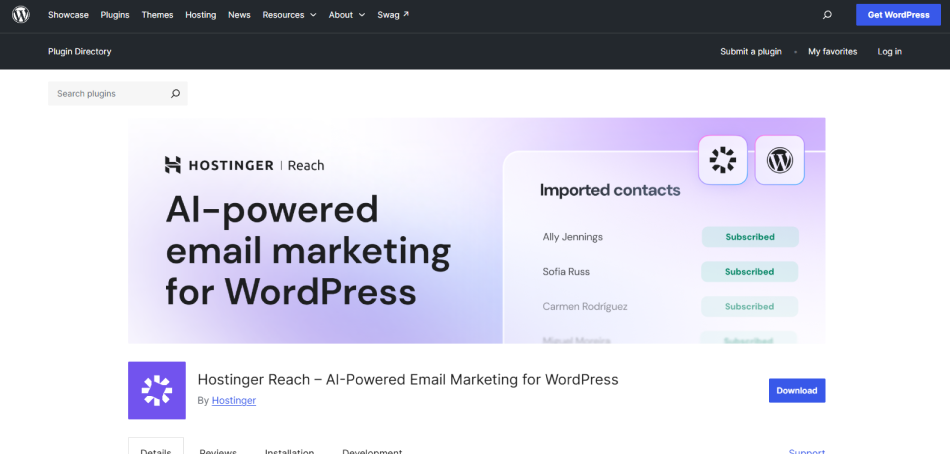
Hostinger Reach is an AI-powered email marketing platform specially designed to make campaign creation easier. Thanks to this, now you don’t have to start with a blank email and build everything manually; you can just simply describe the email you want to create and let its AI generate a ready-to-edit template.
What makes Reach interesting is how it connects this process with WordPress. You can collect subscribers via signup forms, synchronize contacts from supported form builders and manage your campaigns through the Reach platform. Plus, It even supports WooCommerce which allows store owners to connect their customer data with their email marketing workflow.
The other big advantage is its approach to email authentication. Reach advertises automatic SPF, DKIM, and DMARC setup, lowering the technical work involved in preparing your domain for email sending.
What Hostinger Reach does well:
- AI-powered email creation
- Visual email editor
- Automatic contact synchronization
- Automatically set SPF, DKIM, and DMARC
- Track opens, clicks, and other engagement metrics to understand how subscribers respond
- WooCommerce integration
- Beginner-friendly pricing
- 24/7 support
Where it falls short:
- The free plan has strict sending limits; you can store unlimited contacts but the free tier only allows 100 unique recipients and 200 emails per month
- Advanced automation requires a paid plan
- AI-generated emails still need editing
- Your marketing data lives outside WordPress
My Verdict: Hostinger Reach is a practical choice for beginners, creators and small businesses that want to create professional looking email campaigns without spending hours designing them. But don’t mistake its unlimited contact storage for unlimited email sending. The free plan is limited to 200 emails per month and businesses that need automated customer journeys will need the paid Grow plan.
7. MailMint: Best For WordPress-Based Email Marketing And Automation

| Metric | Details |
| My Score | 78/100 |
| User Rating | 4.7/5 Stars |
| Active Installations | 4,000+ |
| Free Version | Yes, with unlimited contacts and email campaigns according to the developer |
| Starting Price | 149.99/year |
Looking for another best self-hosted WordPress email marketing plugin built for businesses that want to manage campaigns, contacts, and automation? MailMint is a great option.
if you’re running a WooCommerce store, it goes beyond basic newsletters by connecting email marketing with purchase activity and abandoned carts.
Standout features:
- Visual automation builder.
- WooCommerce email automation
- Abandoned cart recovery
- Drag and drop email editor
- 360-degree contact profiles
- AI-assisted email writing
- WordPress-native contact management
- No monthly sending fees on the self-hosted model
Where it falls short:
- Advanced ecommerce features require Pro
- Since MailMint is self-hosted, you’ll need good hosting resources and a reliable email sending setup as your list grows.
- The ecosystem is smaller than Mailchimp or Klaviyo
- You manage more of the technical infrastructure
My Verdict: MailMint is a worth considering option for WordPress site owners who want email marketing and automation closely connected to their website, especially WooCommerce businesses that need purchase-based follow-ups and abandoned cart recovery. Yet, don’t opt for it simply because the advertised pricing looks cheaper. You still need reliable email delivery, suitable hosting and the right paid plan for advanced ecommerce automation.
How To Choose The Best WordPress Email Marketing Plugin For Your Needs
| Your Needs | Best Plugin | Why Choose It? |
| Manage newsletters directly inside WordPress.. | MailPoet. | Create, send, and manage newsletters without leaving your WordPress dashboard. |
| Self-hosted email marketing and advanced automation | FluentCRM | Manage contacts, campaigns, and automated workflows inside WordPress |
| Send newsletters to unlimited subscribers | The Newsletter Plugin | A WordPress-native newsletter solution with unlimited subscribers and newsletters on the free version. |
| Combine email marketing with multichannel campaigns. | Brevo. | Manage email campaigns alongside other marketing channels via an external platform. |
| Connect email marketing with a wider marketing ecosystem.. | Mailchimp. | Great for businesses that want integrations with other marketing tools and platforms.. |
| Create email campaigns with AI assistance.. | Hostinger Reach. | Generate email content and create campaigns with AI powered tools. |
| Automate WooCommerce emails and abandoned-cart campaigns. | MailMint. | Offers WordPress-based email marketing automation and WooCommerce-focused workflows |
How Much Does a WordPress Email Marketing Plugin Really Cost?
| Newsletter Plugin | Free core plugin | Pricing | Additional costs as your list grows |
| Brevo | Free plan with unlimited contacts and daily sending limits | From $9/month for a paid plan | Higher email volume, advanced marketing features, or additional channels may increase your bill |
| Mailchimp | Free plan for up to 250 contacts and 500 email sends/month | From $13/month for Essentials | Contact-based pricing, plan upgrades, and add-ons as your audience and marketing needs grow |
| Hostinger Reach | Free for one year, with limited sending | From $1.74/month at the introductory rate; renews at $2.49/month | The 12-month commitment, renewal pricing, and upgrades if you need more recipients or advanced automation |
| MailMint | Free version, according to the developer | From $149.99/year | Email delivery, hosting capacity and paid upgrades for advanced WooCommerce automation features.. |
All pricings are verified from their official vendors website on October 27, 2026.
Final Verdict: What Is The Best Email Plugin For WordPress
Choosing an email marketing WordPress plugin becomes complicated when you actually have to “Pay” for it. As your business grows, you realize you do need a paid email plugin to manage more contacts, subscribers, or simply to get more features like smart segmentation and automation.
The right choice of WordPress email marketing plugin differs from company to company. However, if you ask me, I’d personally recommend going with MailPoet. Till now, this is the best all-in-one native plugin for running newsletters, automated welcome emails, and post notifications directly from your WordPress dashboard with built-in sending options.
Yet for those looking for a more free email marketing solution, The Newsletter plugin is also a good option. Meanwhile, if you want a self-hosted WordPress email marketing and CRM plugin, FluentCRM is worth considering.
Related articles:
- How To Automate Email Marketing For Your Affiliate Program
- Email Sequences to Activate Dormant Affiliates
- 10 Steps For Writing Awesome Affiliate Newsletter
FAQs
Yes, Of Course! Email marketing is still one of the best marketing strategies, and so is worth it in 2026. Because here, you’re not dependent on any third-party algorithm. You own your audience data, their engagement and their interest. It’s more of a personal conversion to improve customer-relationship.
MailPoet, FluentCRM and The Newsletter plugin are the top three best email marketing tools for WordPress.
Yes, a lot! There are many WordPress SMTP plugins available in the WordPress ecosystem such as FluentSMTP and WP SMTP Mail plugin which can be used to ensure your send email lands safely in the subscriber’s inbox, not spam folder.
Here are some good free WordPress email plugins:
– MailPoet
– Brevo
– The Newsletter plugin
Yes, Mailchimp is still worth using for basic and low-complexity email newsletters and small stable contact lists, but recently, in 2026, it becomes less effective and expensive as your business grows. In other words, it is what it is.


